Color Object List
When creating anything it pays to have a plan. Understand the the list of components, the tools required and the construction sequence is imperative to good design.
This is particularly so in embroidery where the correct sequence of a design is critical to quality embroidery.
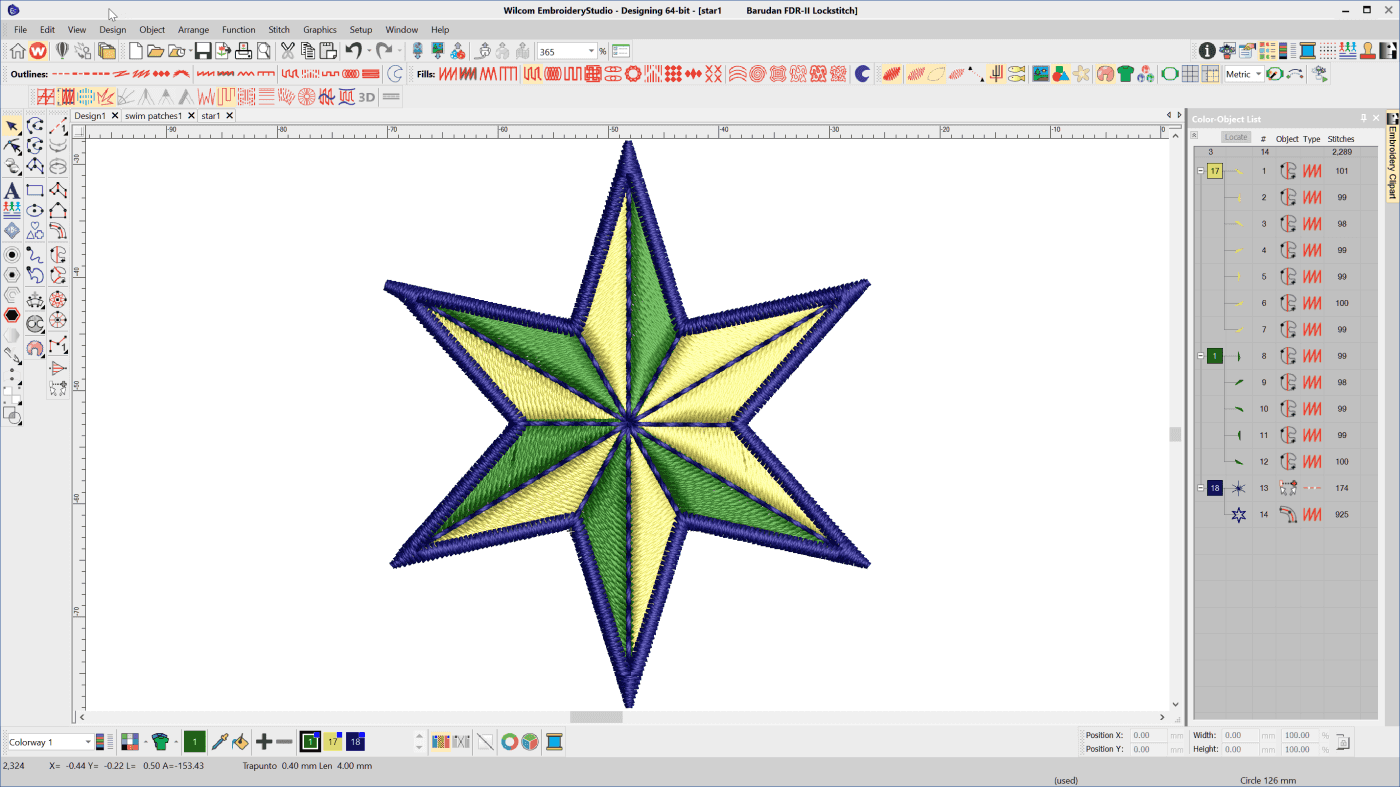
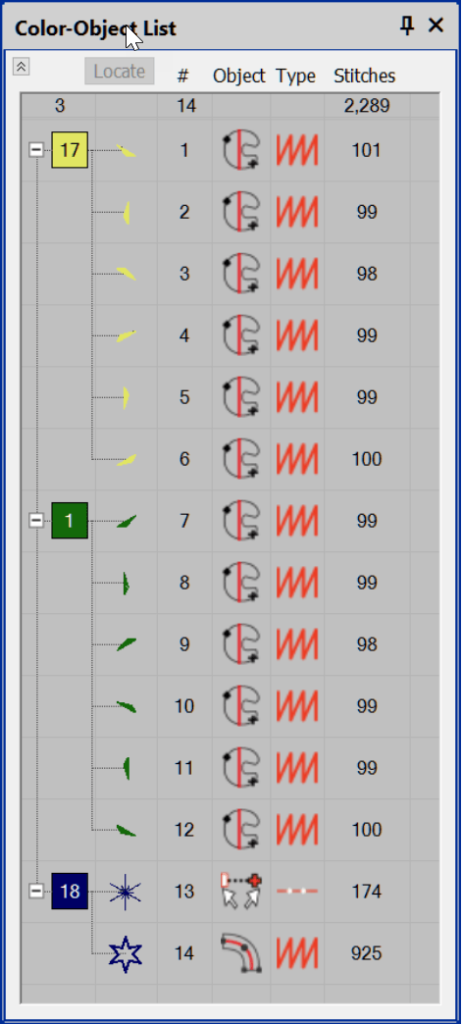
The Color Object List shows the color blocks, individual objects, tool icon, stitch type and count.
There is a sequence toolbar in the software but for simple re ordering of objects simply left click hold and drag the object or color block to a new location.
At a glance I can see in this design the first 12 objects have been created with the Complex Fill tool and the stitch type is satin.
Object/s in position 13 have been branched and all consist of run stitch.
Object 14 is an Input C and also is a satin stitch.
At a glance I have a good idea of how this design in going to run and look from this information.
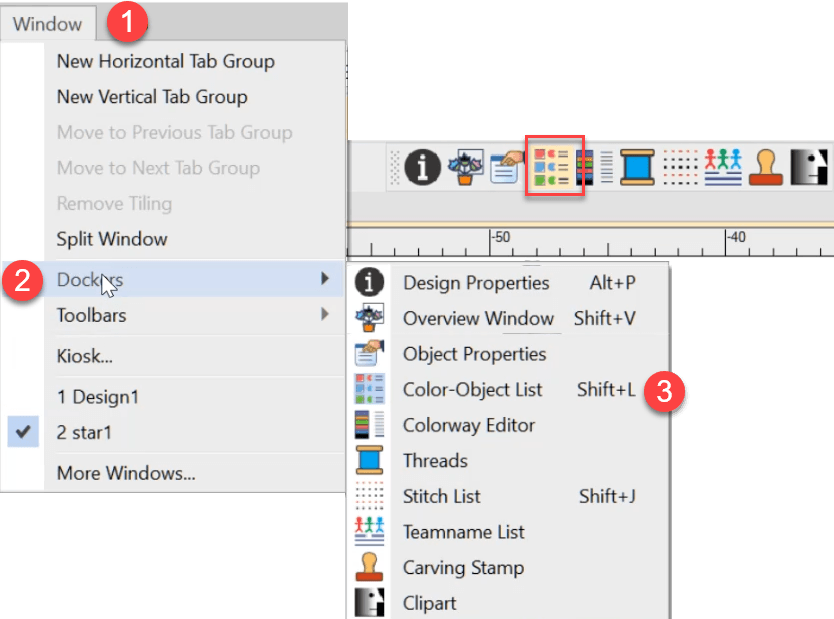
The Dialog box can be found in the docker toolbar.
Remember the keyboard shortcut SHIFT L.
Ask about the world's
favorite embroidery software!

Got questions? We’re here to help.
Contact us