On-Screen Quality Assurance Tool-Travel Toolbar
Blog | EmbroideryStudio
January 22nd, 2024
3 minute read
On-Screen Quality Assurance Cultivating Production Efficiency from the Start
Wilcom’s EmbroideryStudio Designing software provides tools that work seamlessly as an integrated quality assurance system.
These tools empower digitizers to enhance embroidery designs, providing a unique opportunity to efficiently review, evaluate, and elevate the final output for machine production.

Introducing the Travel Toolbar
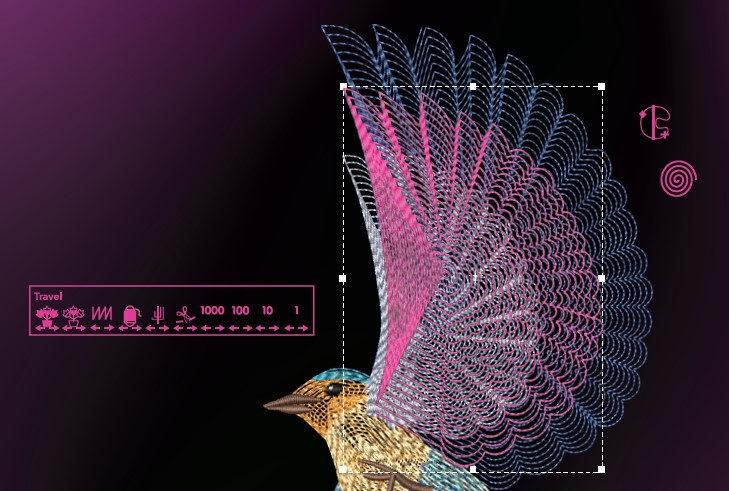
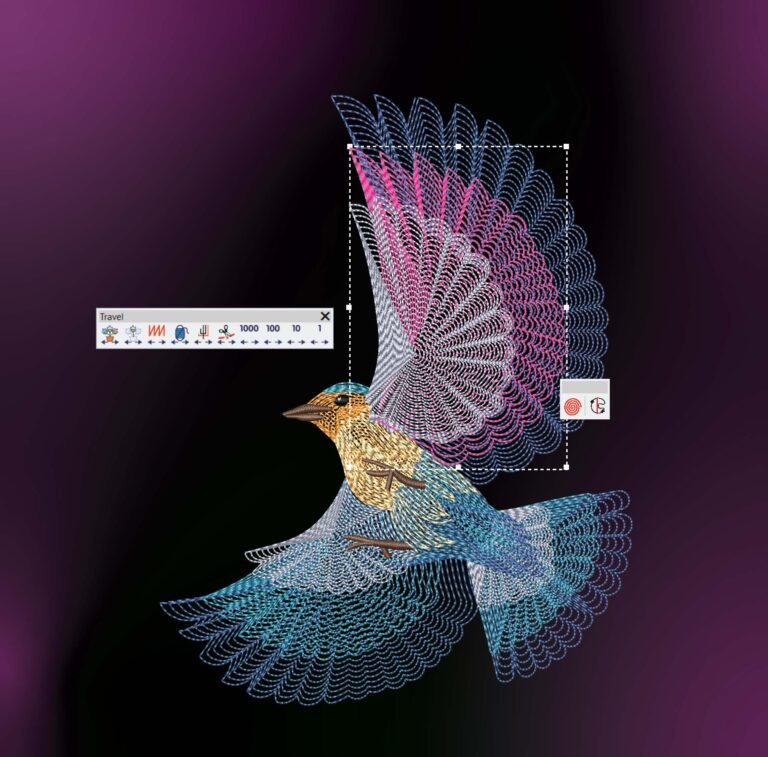
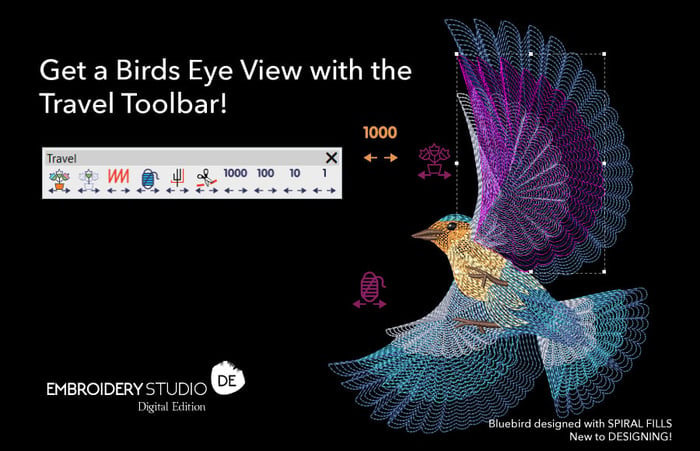
The Travel Toolbar offers the ability to step through a design manually, to optimize embroidery paths. Making it easy to navigate by object, segment, color, function, trim, or stitch-by-stitch. Traveling can be initiated from any stitch in the design, and the right or left mouse clicks allow it to travel forwards or backward through the design.
Travel through your embroidery design by
Object | Segment | Color | Function | Trim | Stitch-By-Stitch
travel forward and backward with right and left clicks!

Show Connectors and Show Functions
Don't Tell the Whole Story!
Activating the Show Connectors and Show Functions options unveils the trims that are denoted by small triangles. However, knowing the trims’ location may not provide the required sequence information.
Considering that each trim can take around 8 seconds for an embroidery machine to pause, trim, and get back to full speed, it becomes clear that understanding the stitching sequence and conducting careful design analysis is crucial for efficient machine stitch-outs.
The Travel toolbar proves invaluable in swiftly identifying how the design will embroider. Clicking the Travel by Trim icon quickly highlights the sequence of the trims and positions the cursor in the exact location to enable editing.
“To illustrate, consider a scenario where two objects of the same color are separated by an alternative fill color. Here, digitizers can left-click back to the previous trim and add a connecting run stitch joining the same-color objects, quickly eliminating the need for a trim. This connecting stitch runs under an object, hidden and invisible in the final design.”
Get a Birds Eye View
This approach provides digitizers with a comprehensive view of the entire embroidery design and precisely identifies areas for editing.
It streamlines the process of adding new sections, extra stitches, or devising optimal approaches to connect or rearrange embroidery objects, all to maintain a consistent machine speed.

Wilcom’s EmbroideryStudio Digital Edition Designing software equips embroidery businesses with advanced productivity tools that integrate into a quality assurance system, streamlining production for profitable embroidery outcomes.
See how it works!
Ask about Wilcom's
EmbroideryStudio Digital Edition today!
Experience our 14-Day FREE Trial
Dive into the training video journey, ready for immediate download.
Explore everything StitchFEST has to offer, including inspiring blogs, live demonstrations,
educational content, free giveaways, and exclusive event-only discounts.
Don’t miss your chance to save 20% on EmbroideryStudio 2026 during the event.
Got questions? We’re here to help.
Contact us

Related Articles
Wilcom in Space: India’s Axiom Mission 4 Patch
3 minute read
July 22nd, 2025
Elevate Your Embroidery with Captivating Perspective and Depth
3 minute read
January 16th, 2024
Reflective Threads Used for Cyclists and Beyond
4 minute read
February 1st, 2024