Duplicating Objects
Listen to this great Wilcom blog
Audio generated by DropInBlog's Blog Voice AI™ may have slight pronunciation nuances. Learn more
Save Time and Create Exact Duplicates.
 The easiest way to duplicate an object is to right click on the object – drag and release.
To keep the object in a vertical or horizontal line hold the Control key while dragging.
I find this particularly useful when duplicating hand digitized lettering along a baseline.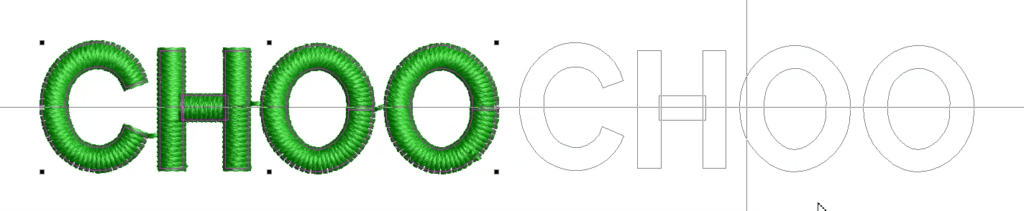
To repeat the duplication along the angle and distance simply use the CTRL D key on your keyboard after the first duplication.
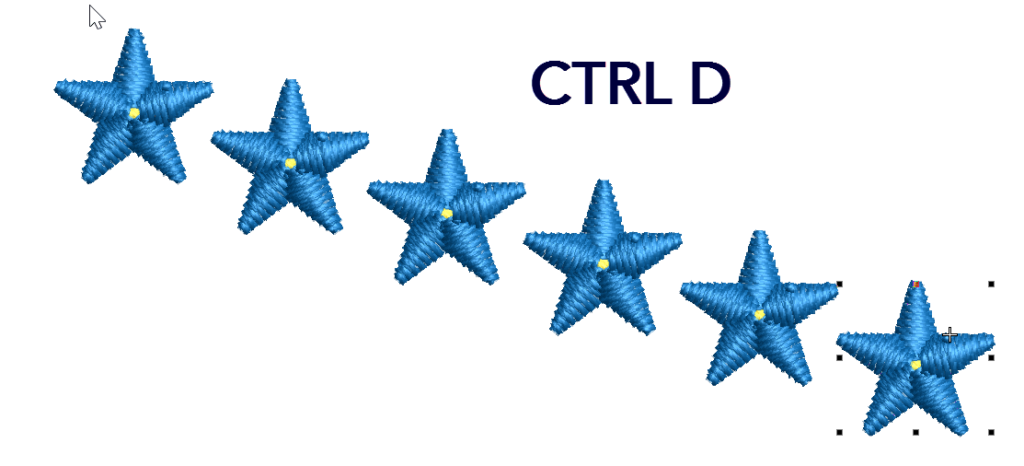
If you wish to duplicate and an exact distance and direction go to the SETUP>OPTIONS MENU
Ctrl Shift D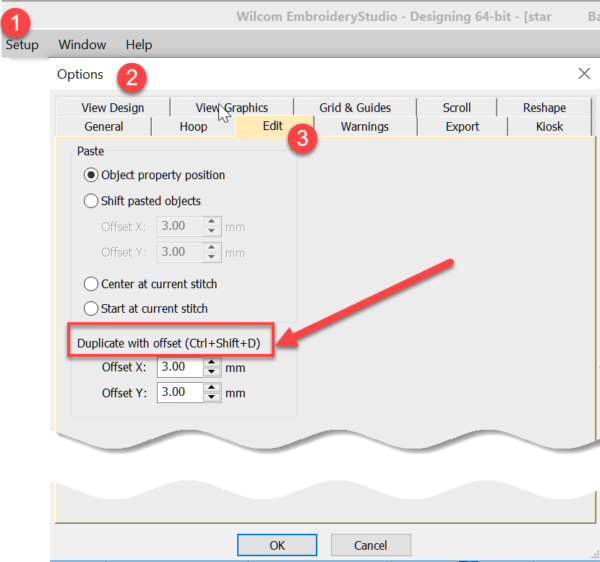
Ask about the world's
favorite embroidery software!
Trial all levels and features

Already own Embroidery Software? Get a No-Obligation Quote Today!
Get the latest Wilcom blog posts and company updates straight into your inbox.
Got questions? We’re here to help.
Contact us