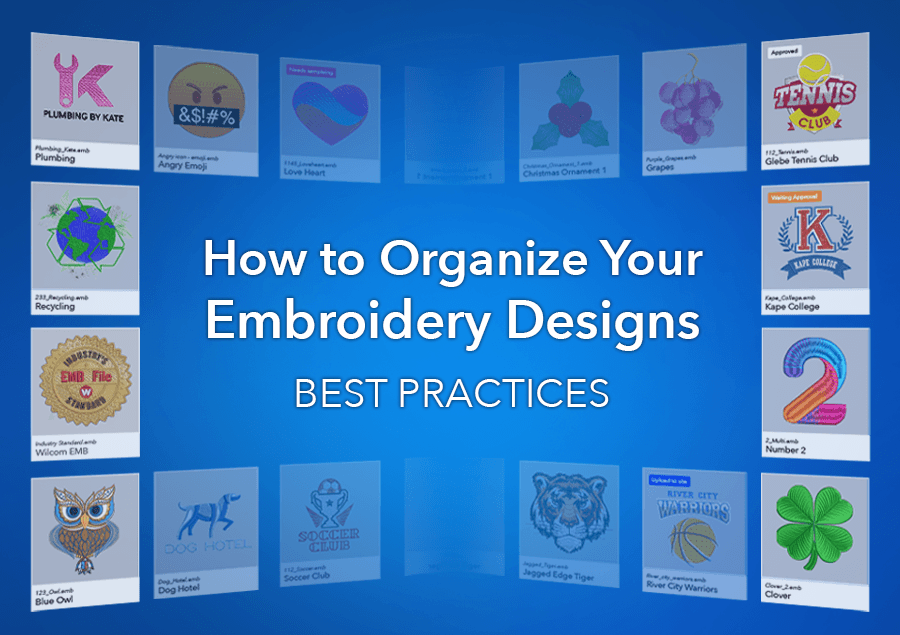
How to Organize Your Embroidery Designs: Best Practices
Table of Contents
- It’s time to stop managing designs like files and start managing them like assets.
- 1. Move Beyond Local Storage
- 2. Stop Using File Duplication as a Backup Strategy
- 3. Move Away from Paper-Based Systems
- 4. Create a Single Source of Truth
- 5. Use a Consistent Naming System
- 6. Use Visual Tools to Find Designs Faster
- 7. Improve Searchability with Metadata
- 8. Enable Team Collaboration
- 9. Connect Design Management to Production
- Stop managing embroidery designs like files. Start managing them like assets.
- Watch Brenden walk through how Library works
- FAQs
If you’re wondering how to organize your embroidery designs more effectively, the answer isn’t more folders — it’s a better system.
Every embroidery business—whether digitizing, outsourcing, or running full production has developed its own way of managing designs over time. For some, it’s paper plot sheets stored in folders. For others, it’s a mix of local files, external hard drives, and manual backups.
These systems worked in the past, but they come with growing risks and limitations.
It’s time to stop managing designs like files and start managing them like assets.
Your embroidery designs are one of the most valuable assets in your business.
Yet many businesses still manage them like simple files.
So, what should modern embroidery businesses be doing instead?
To understand how to organize your embroidery designs, you need to rethink how they’re stored, accessed, and used across your business.
1. Move Beyond Local Storage
Storing designs on individual computers or shared drives limits access and creates version control issues. Files get duplicated, overwritten, or lost.
If you're unlucky enough to get a virus, and your external drive is connected to your computer, it can also be infected, putting both your computer and backed up designs at risk.
Best practice: Valuable assets shouldn’t be tied to a single computer or location. Store them on network drives or in a cloud-based system to ensure your designs are secure, up to date, and accessible whenever and wherever they’re needed.
2. Stop Using File Duplication as a Backup Strategy
“FINAL_v2”, “FINAL_FINAL”, “USE_THIS_ONE” — sound familiar?
Using duplicate files as a backup strategy creates confusion and increases the risk of production errors. This is what happens when designs are treated as disposable files rather than managed assets.
Best practice: Maintain a single version of each design, with clear version tracking. This ensures consistency and allows you to keep all related information, such as customer notes and original artwork, connected to the design.
👉 Systems that include file locking or version control can help prevent duplication issues.
3. Move Away from Paper-Based Systems
Printed plot sheets and handwritten notes are easy to lose and difficult to maintain. Even when stored in folders, they’re disconnected from the actual design files.
Best practice: Store all design-related information digitally and link it directly to the design file.
4. Create a Single Source of Truth
When designs are scattered across desktops, USBs, and servers, finding the right file becomes time-consuming, and inefficiencies build quickly.
If you’ve been using Design Library (now called Design Explorer in EmbroideryStudio), you already have some understanding of how to organize your embroidery designs. However, Design Explorer indexes and searches designs on your local computer.
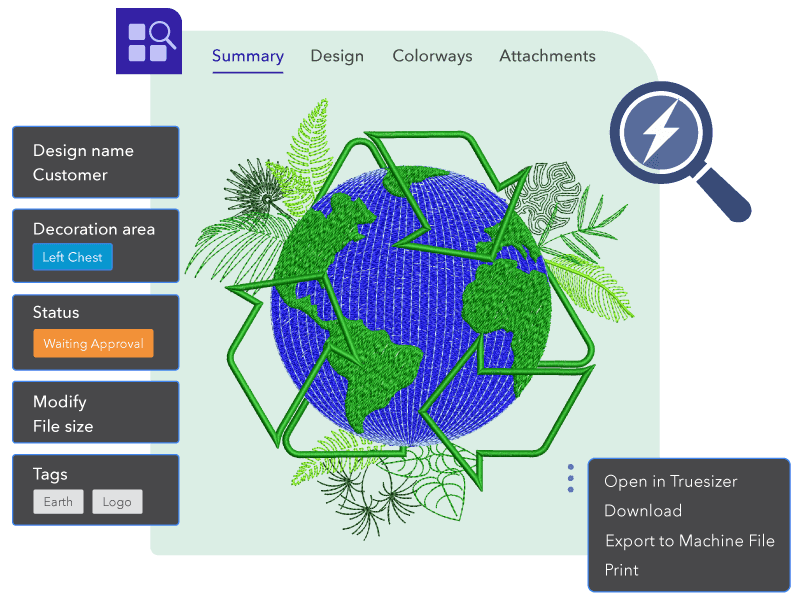
Best practice: Create a single, organized source of truth for all embroidery designs. A true asset needs a single, reliable source — not multiple scattered copies. This ensures everyone in your business is working from the same, up-to-date design, reducing confusion, rework, and costly production mistakes.
- Quickly locate designs
- Maintain consistency
- Reduce time wasted searching
- Accessible to all who need it
A centralized system also provides resilience — ensuring your designs are protected and recoverable if something goes wrong.
This is where the shift happens, from managing files to managing assets.
5. Use a Consistent Naming System
Even with advanced search tools, clear naming still plays an important role.
Best practice: Use a consistent naming structure that combines a numbering system with a description to help standardize how designs are identified across your business.
A good naming convention isn’t just structure, it’s about being:
- Consistent
- Scannable
- Search-friendly
- Useful across teams
Example: W3409-GlebeGolfClub-Cap
(Company/job number + customer + design type)
This makes designs easier to recognize when shared with customers, production teams, or outsourcing partners.
6. Use Visual Tools to Find Designs Faster
Relying on file names alone isn’t enough, especially as your design library grows.
Best practice: Visual previews make it easier to identify designs quickly and avoid mistakes. Features such as thumbnails, status indicators, and true-scale (1:1) previews make it easier to confirm you’re using the correct design.
These small improvements in visibility can have a big impact on production accuracy.
7. Improve Searchability with Metadata
No more folders. Designs are automatically indexed, so you can find what you need without digging through layers of directories.
Design iterations can be extremely valuable. During the development of a new embroidery design, many businesses may create multiple versions while exploring different ideas, effects, or layouts. Earlier iterations often contain elements that can be reused in future designs.
These iterations can be saved with searchable tags for later use.
Best practice: Adding metadata, such as customer names, job details, and design attributes, makes it far easier to organize and retrieve designs.
Managing designs as assets means they’re not just stored — they’re searchable and easy to retrieve.
Search by:
- File name
- Customer name
- Tags
- Design status
With proper tagging, even large design libraries become easy to navigate — delivering fast, accurate results every time.
8. Enable Team Collaboration
Modern embroidery workflows can involve multiple people, sometimes across different locations.
Best practice: Ensure everyone can access the same design information without relying on file transfers or emails. A secure, shared system allows your team to:
- Work from the same file
- See updates in real time
- Reduce communication gaps
- Lock files while they’re being edited
9. Connect Design Management to Production
Your designs shouldn’t exist separately from your production workflow. When systems are disconnected, inefficiencies and errors increase.
Best practice: Integrate your design storage with tools used for editing, approvals, and production.
- Store multiple embroidery file types
- Export machine-ready files
- Generate worksheets
- Capture design previews
- Integrate with editing tools
Stop managing embroidery designs like files.
Start managing them like assets.
When your designs are treated as assets, your business becomes more organized, more efficient, and far less prone to costly errors.
Adopting modern design management practices isn’t just an improvement. It’s a fundamental shift in how embroidery businesses operate and grow.
If you’re ready to move beyond folders and outdated systems, explore how to organize your embroidery designs in practice.
Watch Brenden walk through how Library works
It brings everything together, connects storage, indexing, editing (with Truesizer included), and production in one place.
Find out more about Library: https://wilcom.com/workspace/library
FAQs
What’s the difference between Design Library and WilcomWorkspace Library?
Design Explorer (previously Design Library in EmbroideryStudio) is used to search and manage embroidery designs stored locally on your computer or network folders.
WilcomWorkspace Library, on the other hand, is an online embroidery design management system that allows you to securely store, access, and export designs online. It can be accessed anytime, anywhere, by anyone you give permission to — making it ideal for teams, remote workflows, and cross-device use.
It also provides secure, centralized storage, reducing the need for separate manual backup systems.
Do I need EmbroideryStudio to use Library?
No. Library can be used independently of EmbroideryStudio. Each Library user licence includes access to Truesizer, allowing you to open, view, recolor, and make basic edits to embroidery designs.
Can Library be used by non-digitizers?
Yes. Library is designed for anyone working with embroidery designs — including production teams, sales staff, admin, and outsourcing partners. It allows all users to access and manage designs without needing digitizing software.
Can I access Library on Mac or different devices?
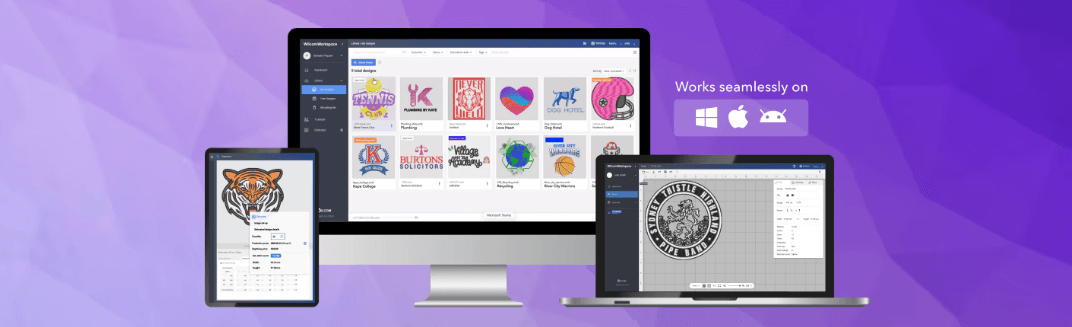
Yes. Library is cloud-based and can be accessed from any device, including PC, Mac, and tablets. This allows teams to work from anywhere while staying connected to the same design files.
- Sales force can use Library when with customers
- Production can use Library on the factory floor
- Administrative staff can use Library from a remote office
How does Library prevent duplicate or incorrect design versions?
Library uses a single source of truth approach. Each design exists as one record, and when a user is working on it, the file is locked. This prevents duplication, version confusion, and accidental overwrites.
What embroidery file formats does Library support?
Library supports a wide range of embroidery file formats, including .EMB and many production stitch formats.
It also allows export to multiple machine formats, making it suitable for production environments.
Ask about the world's
favorite embroidery software!

Got questions? We’re here to help.
Contact us