Save Standard Stitch Styles for Tools
Blog | EmbroideryStudio
August 1st, 2019
1 minute read
Save a Preset Object Style
In e4.2 it is possible to save a style of stitching to an input method.
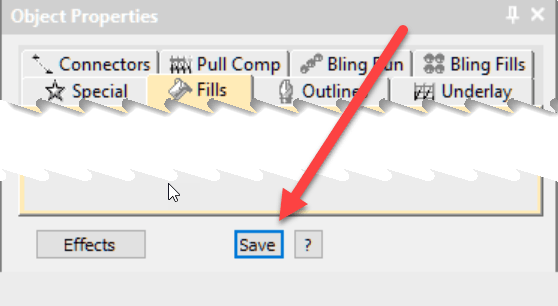
Make your changes in the work area and check the Save button from the bottom of the Color Object list (image top right)
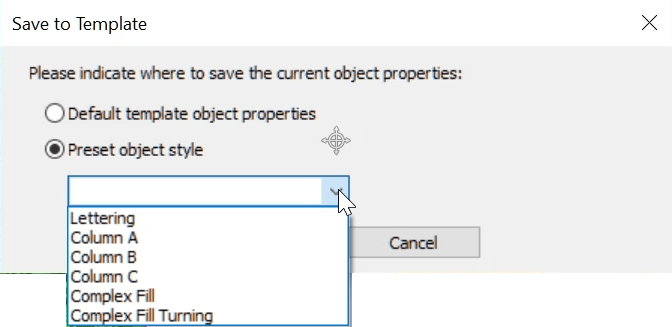
Select the Preset Object Radio button and choose the input method from the list and OK.


Thanks Gary Sewell for pointing out what I forgot in the video.
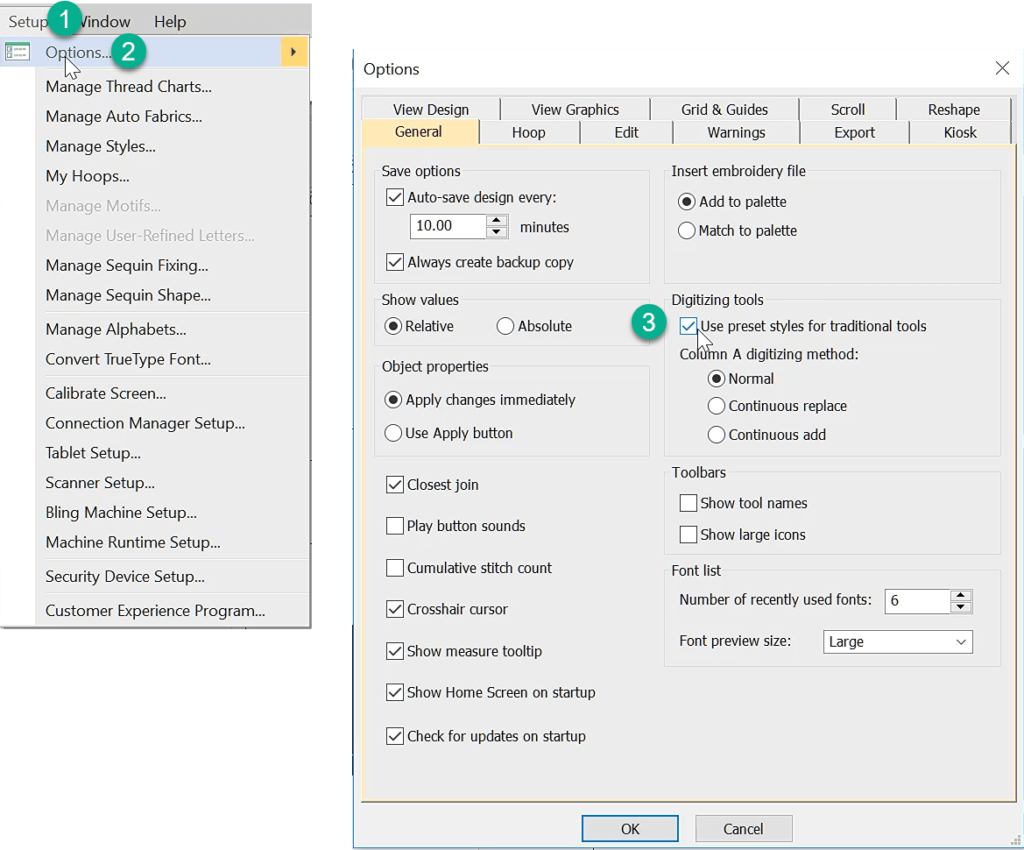
To allow these changes to take effect you need to activate the feature in the SETUP/OPTIONS General TAB.
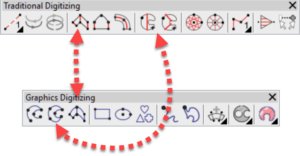
I should make you aware that this feature is available in both Decorating and Designing, however when I refer to complex Fill and Column A in Decorating the input tools are referred to as
Digitized Closed Shape and Digitize Column respectively

Explore everything StitchFEST has to offer, including inspiring blogs, live demonstrations,
educational content, free giveaways, and exclusive event-only discounts.
Don’t miss your chance to save 20% on EmbroideryStudio 2026 during the event.
Got questions? We’re here to help.
Contact us

Related Articles
Outlines and Offsets
3 minute read
July 30th, 2019
For the love of it! Sal Lucchese
3 minute read
August 5th, 2019
Color Blending
2 minute read
July 19th, 2019