






Upgrade vs Subscription: What’s Best?
Which Option Makes More Sense for Your Business?
If you're running an older version of EmbroideryStudio, you're not alone. Many businesses continue using software versions that are several years old because they still “get the job done.”
But over time, the gap between older software and the latest version grows, and that has both cost and operational implications.
Upgrade vs Subscription
Wilcom offers various purchase options, one of which is EmbroideryStudio Designing or Decorating Subscriptions, an alternative payment method and a flexible model that provides a low-cost entry into the world of professional embroidery software.
Stay on an older software version for now
If you choose to stay on a very old level, such as e4.5 for now, we strongly recommend monitoring your system after any Windows updates and planning your move to a supported version before a problem forces your hand.
Stay Informed - Subscribe to Wilcom Communications
Get content that actually matters to you: Take a minute to update your email preferences so we can tailor what we send to you.

Why Staying Current Matters
Upgrade vs subscription isn't just about new features. It's about protecting your business. As technology evolves, so do operating systems and security threats. Wilcom advances its software to ensure compatibility, stability, and protection for you and your business.
Active software receives patches against evolving security threats.
Stay fully compatible with modern versions of Windows.
Free access to Wilcom's technical support team when you need help.
Benefit from the latest features in Wilcom's annual release cycle.
Read Wilcom's Technical Support Policy →
Although updates are optional, a subscription is a smart investment. In today’s fast-paced world, staying current isn’t a luxury — it’s essential for doing business.
*Subscriptions are available for the Designing and Decorating level only.
Frequently Asked Questions
Can I continue using EmbroideryStudio e4.5?
Yes. After the e4.5 end of support, your software will continue to work. e4.5 End of support means Wilcom no longer provides technical assistance, updates, or bug fixes, but it won't be disabled or switched off.
What's the difference between upgrading and subscribing?
An upgrade is a one-time purchase that moves you to the latest version. A subscription gives you continuous access to the latest version, including all future releases, at an annual cost with no additional upgrade fees. Comparing the pricing and included features will help you decide which makes more sense for your business.
Why should I upgrade from e4.5 now?
With e4.5 now over six years old and no longer receiving updates, the gap between it and the current version will only grow. Upgrading now means you benefit from the latest tools, maintain compatibility with modern operating systems, and have access to Wilcom's support team if you need help.
Are there discounts available for upgrading?
Yes. Discounted pricing is available when you trade in your existing licence.
What are the benefits of moving to a subscription?
A subscription gives you immediate access to the latest features, includes exclusive add-on features, and ensures you always stay current with new releases without needing to plan or budget for future upgrades. It also offers lower upfront costs and predictable annual pricing.
What if I don't upgrade - what risks should I be aware of?
After e4.5 end of support, your software will keep running, but without security patches or compatibility updates, you may encounter issues as Windows evolves. You’ll also no longer have access to Wilcom’s technical support team, although self-help resources will remain available on our website.
Waiting only increases the risks and the eventual cost of moving across.
What's new in EmbroideryStudio 2026?
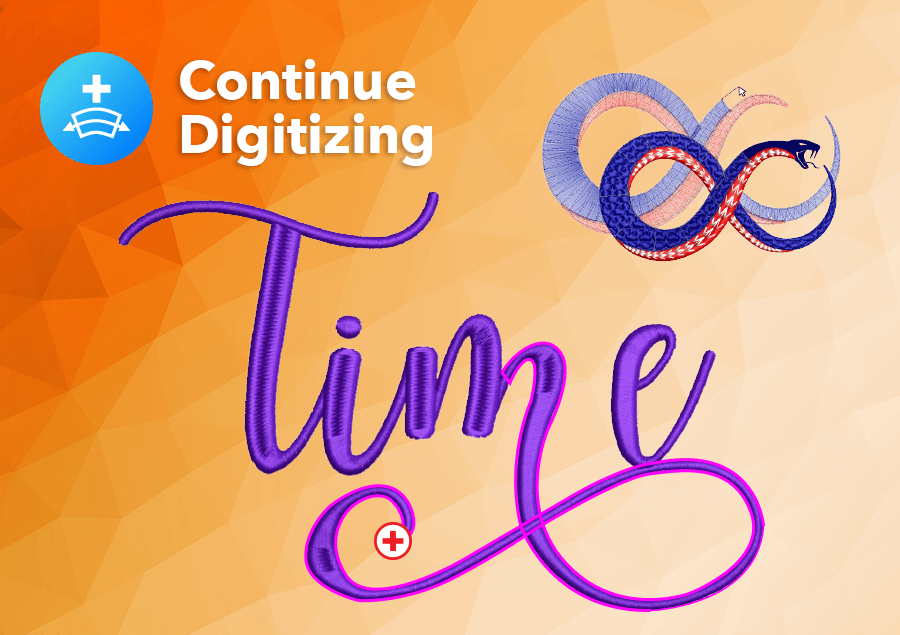
EmbroideryStudio 2026 introduces a range of new features designed to help you work faster and with greater precision. Highlights include Multi Blend for smooth color gradients and shading, Continue Digitizing to keep working on closed objects without restarting, Streamlined Export to output designs and worksheets in a single step, and Wilcom Answers, a built-in AI assistant sourced entirely from official Wilcom documentation. Other additions include Snap to Object for cleaner digitizing, Redwork conversion, Custom Accordion Spacing, and improved grid controls. See the full list of what's new in EmbroideryStudio 2026.
Will my existing designs and files still work if I upgrade?
Yes. EmbroideryStudio 2026 can open e4.5 or later .EMB file format versions, so your existing designs will open and remain fully editable after upgrading. You won't lose any of your existing work.
Can I keep my dongle if I upgrade or subscribe?
After the end of support for e4.5, you can continue using your existing version without upgrading, and your current dongle will remain active.
However, if you choose to upgrade, your existing dongle will no longer be valid.
If you move to a subscription, you can continue using your e4.5 dongle alongside your subscription.
The good news is that the latest versions of EmbroideryStudio no longer require a dongle. Licensing is managed through your Wilcom account, eliminating the risk of losing or forgetting your dongle and giving you the flexibility to work from any computer with an internet connection whenever you need it.
How do I find out which version of EmbroideryStudio I'm running?
Open EmbroideryStudio and click on Help in the top menu, then select About EmbroideryStudio. This will show you the version number currently installed on your computer. If you're unsure, you can also contact Wilcom's support team for help identifying your version.
What happens to my designs if I don't renew my subscription?
If your subscription lapses, you will lose access to EmbroideryStudio until it is renewed. Your design files will remain on your computer and won't be deleted, but you won't be able to open or edit them in EmbroideryStudio until your subscription is active again.
Is EmbroideryStudio 2026 compatible with Windows 11?
Yes. EmbroideryStudio 2026 is fully compatible with Windows 11 and is the recommended version for anyone upgrading from Windows 10. If you're still running Windows 10, which reached end of support on 14 October 2025, upgrading to both Windows 11 and EmbroideryStudio 2026 together is the most complete way to ensure your system stays secure and fully supported.
Ask about the world's
favorite embroidery software!
Got questions? We’re here to help.
Contact us