Column A tool
Listen to this great Wilcom blog
Audio generated by DropInBlog's Blog Voice AI™ may have slight pronunciation nuances. Learn more
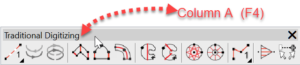
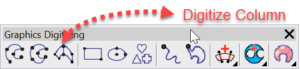
In Decorating the tool is called “Digitize Column” and in Designing “Column A”
The two variants are found in the Traditional digitizing toolbar in Designing and the Graphic toolbar in Decorating.
To complete the shape hit the enter key once
The tool is used to create columns of stitching that vary in width and can be complex curves.
As with all tools in Embroidery Studio, left mouse clicks create corners and right clicks create curves.
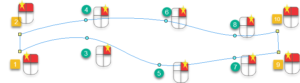

If you left click instead of right click continue on, this can be changed later by selecting the offending node in reshape mode and hitting the space bar to toggle from a left to right click and back again.
Ask about the world's
favorite embroidery software!
Trial all levels and features

Already own Embroidery Software? Get a No-Obligation Quote Today!
Get the latest Wilcom blog posts and company updates straight into your inbox.
Got questions? We’re here to help.
Contact us