Embroidery Design Management: 10 Key Library Features
Table of Contents
- 1. Central Hub for All Your Designs
- 2. Powerful Search and Filtering
- 3. Built for Teams
- 4. Flexible for Individuals
- 5. Access Anywhere. Compatible with PC, Mac & Tablets
- 6. Smart Organization with Metadata
- 7. AI-Assisted Tagging Saves Time
- 8. Built-In Workflow and Production Tools
- 9. Visual Browsing with Real Time Preview
- 10. Seamless Truesizer Integration
- See Library in action
- Flexible Subscription Model with Storage and Growth Ready
- FAQs
In modern embroidery design management, organizing, accessing, searching, and sharing files efficiently is just as important as digitizing.
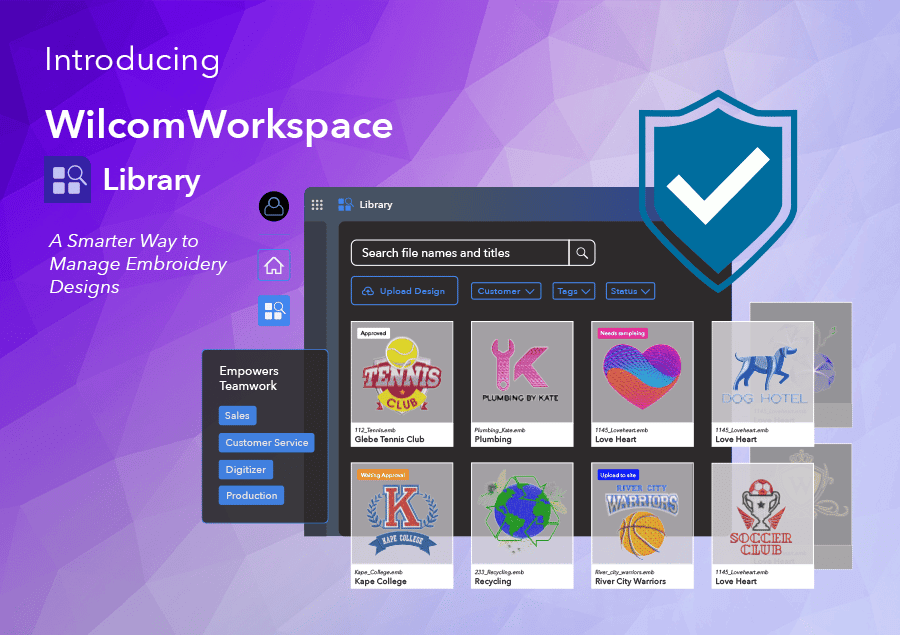
Introducing WilcomWorkspace Library, Wilcom’s online design management solution built specifically for embroidery businesses and embroidery workflows.
Here are the 10 key things you need to know.
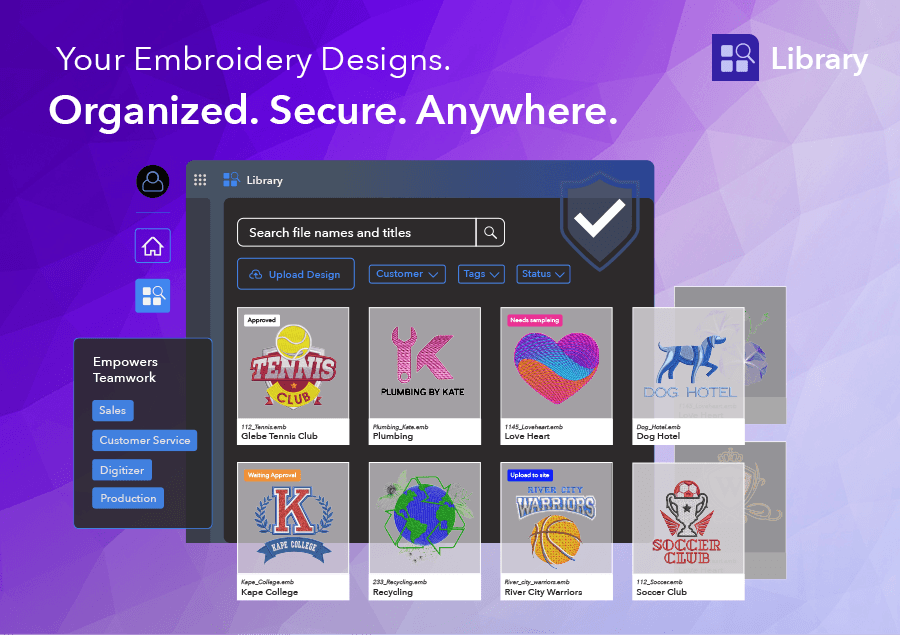
1. Central Hub for All Your Designs
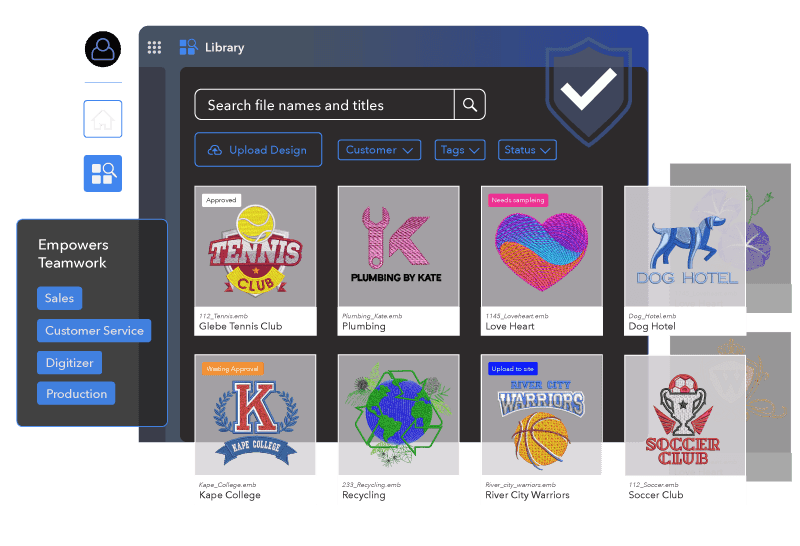
Library gives your business a single, secure place to store and manage embroidery designs. No more scattered files across folders, desktops, or servers — everything lives in one centralized system.
2. Powerful Search and Filtering
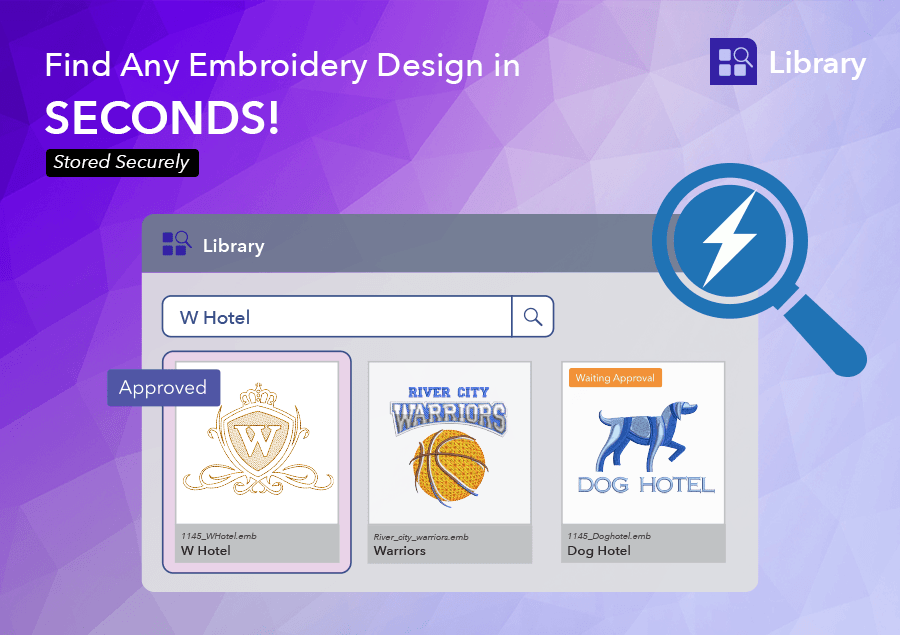
Finding the right file is simple with Library’s embroidery design search tools:
- Free-text search
- Filtering by tags, customers, or status
- Sorting options for better navigation
No more wasting time digging through folders — efficient embroidery design management starts with search.
3. Built for Teams
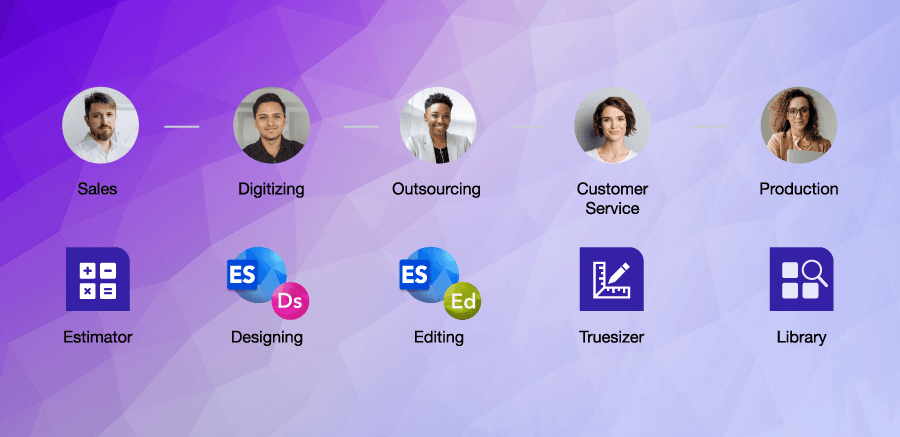
Library is designed for embroidery teams working together. Multiple users can access, manage, and collaborate on designs while maintaining visibility across the entire embroidery workflow.
4. Flexible for Individuals
Whether you're part of a team or working solo, Library supports individual embroidery design management with automatic backup, organization, and secure cloud storage.
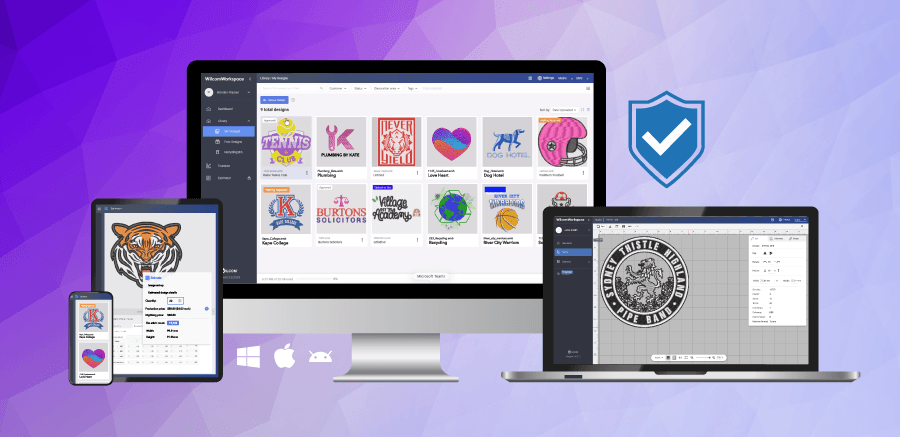
5. Access Anywhere. Compatible with PC, Mac & Tablets
As a cloud-based embroidery design management platform, Library ensures your designs are accessible anytime, anywhere, on any device. Making it ideal for embroidery teams, non-embroidery staff, production environments, or remote workflows.
It provides a single source of truth — one unique design file that is locked when in use, preventing duplication or errors in your embroidery workflow.
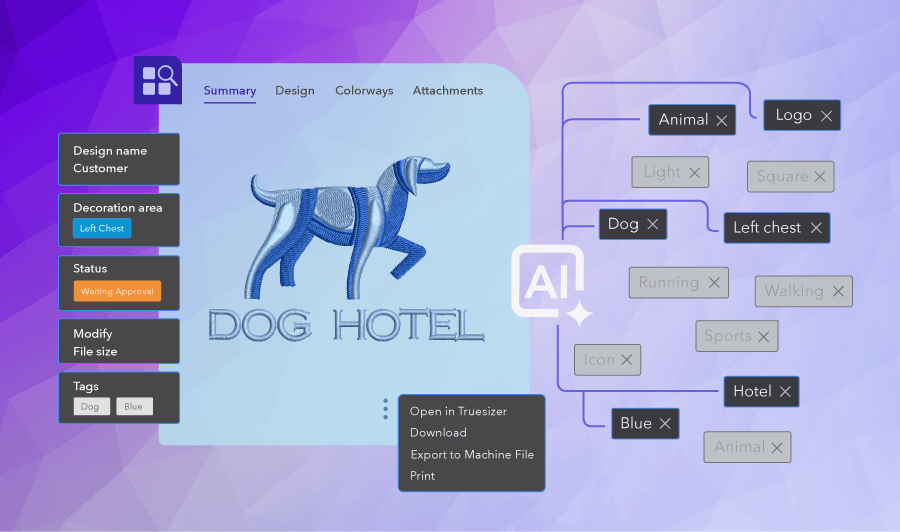
6. Smart Organization with Metadata
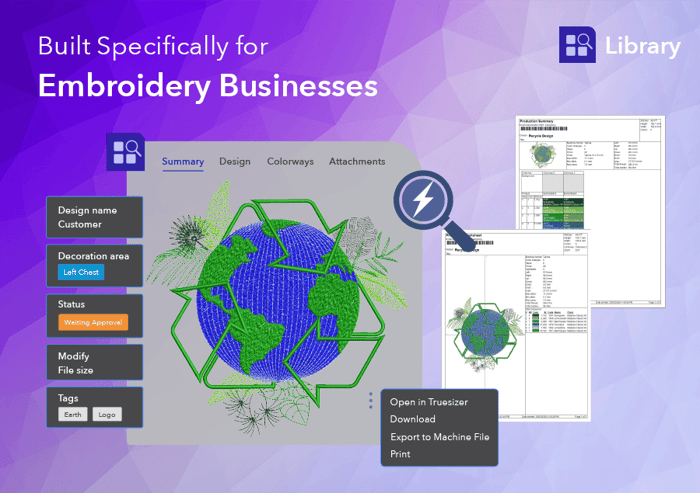
Designs aren’t just files — they’re enriched with metadata like:
- Customer
- Status
- Decoration area
- Tags
This makes organizing, filtering, and retrieving designs fast and intuitive.
7. AI-Assisted Tagging Saves Time
Library includes AI-powered tagging that suggests tags based on the design’s visual content.
- Automatically suggests tags
- Reduces manual tagging time
- Improves searchability
It’s a smart assistant — not a replacement for your expertise.
8. Built-In Workflow and Production Tools
Library isn’t just storage — it supports real production workflows:
- Export to multiple machine formats
- Generate production worksheets
- Download original files
- Capture design bitmaps
It bridges the gap between design management and production.
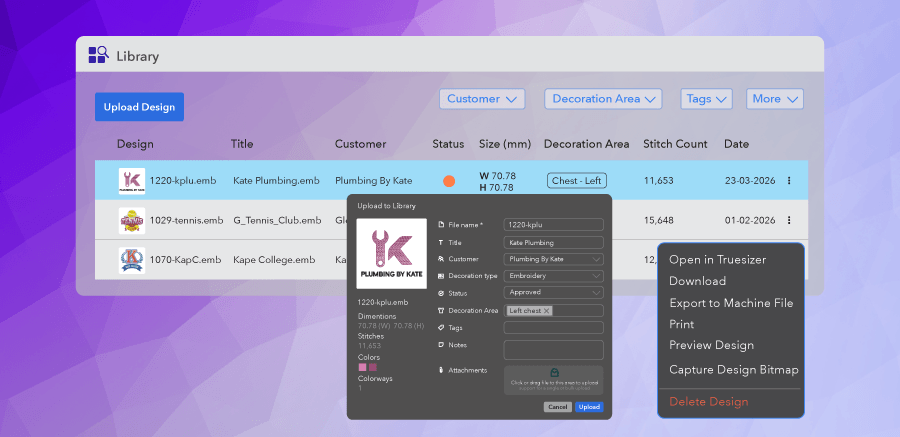
9. Visual Browsing with Real Time Preview
Library improves embroidery workflow visibility with:
- Thumbnail view (with status indicators)
- List view
- Detailed information pane
You can even preview designs at true scale (1:1) directly in the browser — a huge advantage for production accuracy.
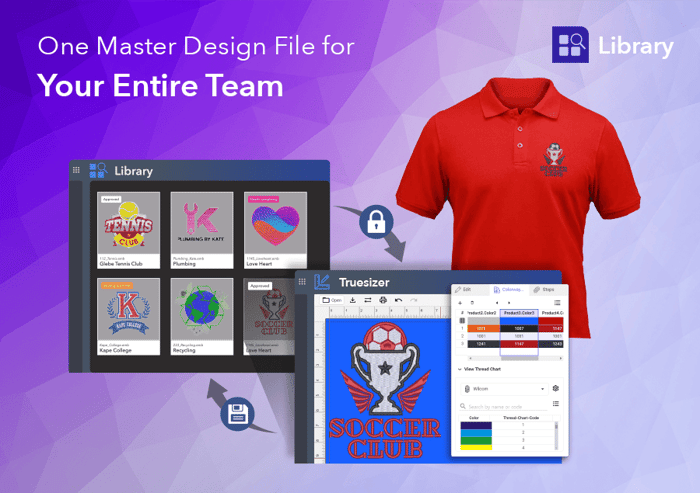
10. Seamless Truesizer Integration
Every Library user gets access to Truesizer — fully integrated.
- Open designs directly from Library
- Edit them in Truesizer
- Save changes back instantly
This creates a smooth, end-to-end workflow from storage to viewing and editing.
See Library in action
Flexible Subscription Model with Storage and Growth Ready
Library includes 10GB of cloud storage (approximately 100,000 designs), along with usage tracking and alerts — helping embroidery businesses stay in control as they scale.
WilcomWorkspace Library is more than just storage — it’s a complete embroidery design management solution and the foundation of Wilcom’s online ecosystem.
For embroidery businesses looking to improve organization, collaboration, and efficiency, Library provides a structured, scalable, and intelligent way to manage designs.
For more information, please visit: https://wilcom.com/workspace/library
FAQs
What is WilcomWorkspace Library
Library is Wilcom’s cloud-based embroidery design management solution. It centralizes all designs in one secure place, making it easier for embroidery teams to organize, search, collaborate, and manage workflows efficiently.
What is embroidery design management?
Embroidery design management is the process of organizing, storing, accessing, and controlling embroidery files across a business. It ensures designs are easy to find, up to date, and ready for production when needed.
What’s the difference between Design Library and WilcomWorkspace Library?
Design Explorer (previously Design Library in EmbroideryStudio) is used to search and manage embroidery designs stored locally on your computer or network folders.
WilcomWorkspace Library, on the other hand, is a cloud-based embroidery design management system that allows you to securely store, access, and export designs online. It can be accessed anytime, anywhere, by anyone you give permission to — making it ideal for teams, remote workflows, and cross-device use.
It also provides secure, centralised storage, reducing the need for separate manual backup systems.
Can Library be used on Mac?
Yes. Library is fully accessible on Mac, PC, and tablets through a web browser, removing the need for Windows-only systems and making it ideal for mixed-device teams.
Is Library suitable for embroidery teams and individuals?
Yes. Library supports both multi-user embroidery teams and individual users, offering flexible access, organization, and secure storage for all embroidery workflows.
It provides a single source of truth, ensuring everyone works from the same up-to-date design. With secure, centralised storage, it also reduces the need for separate manual backup systems.
Can I access embroidery designs remotely?
Yes. Because Library is cloud-based, you can access your embroidery designs from anywhere — whether you're in the office, at home, or on the production floor.
How does Library organize embroidery designs?
Library uses metadata and tagging, including customer names, design status, decoration areas, and custom tags. This makes sorting, filtering, and retrieving designs quick and intuitive.
Does Library support collaboration between team members?
Yes. Multiple users can access and work with designs while maintaining visibility across the organization. File locking ensures that only one person edits a design at a time, preventing conflicts.
Can multiple users edit the same design at the same time?
No. When working in a team, a design is automatically locked when opened, so only one user can edit it at a time.
Library also shows who has the design open using their avatar, giving teams clear visibility and preventing conflicts or accidental overwrites.
What file formats does Library support for embroidery?
Library supports .EMB files and a wide range of embroidery file formats. However, export to embroidery machine formats is supported for EmbroideryStudio e4.5 and above only.
Users can export designs to 24 different embroidery machine formats for production, download original files, and generate production-ready outputs directly from Library.
You can upload the following embroidery files:
Digitized File Formats:
.EMB, .ART, .ART42, .ART50, .ART60, .ART70, .ART80, .ART90, .JAN
Production Stitch Formats:
.DST, .U01, .DSB, .EXP, .DSZ, .Z01, .100, .KSM, .TAP, .INB, .XXX, .SEW, .JEF, .HUS, .PES, .PEC, .PCS, .PCD, .PCQ, .CSD, .EMX, .ARX, .BRO, .PUM, .PMU, .STX, .TBF, .U03
Is my embroidery data secure in Library?
Yes. Library provides secure online cloud storage with controlled access, ensuring your embroidery designs are safely stored and protected.
What happens if my Library subscription expires?
If your subscription expires, your data is retained for 90 days. After this period, all data is permanently deleted, so it’s important to maintain an active subscription.
- If the Base Licence expires, access to designs are limited to read-only
- Your data is retained for 90 days after expiry
- Renew within 90 days to restore full access to all your designs
- After 90 days without renewal, data is permanently deleted. We recommend exporting your designs before this point if you do not intend to renew
- New Base Licence subscriptions begin with an empty Library
How much storage does Library include?
Library includes 10GB of cloud storage (approximately 100,000 designs), along with usage tracking and alerts to help manage your storage as your business grows.
What happens if my subscription expires?
If the base license expires, it will lose access to Library. All additional active team licences will be limited to read-only access. Your data is retained for 90 days. If you renew within that window, your full library is restored. After 90 days without renewal, your data is permanently deleted. If you do not plan to renew, we recommend exporting your designs before the 90-day window closes.
Can I use Library if I don’t own EmbroideryStudio?
Yes. You don’t need EmbroideryStudio to use Library. Every Library user licence includes a Truesizer licence (valued at US$49/year), allowing you to open, view, recolor, and make basic edits to embroidery designs.
Library supports a wide range of embroidery file formats, including:
.EMB, .ART, .ART42, .ART50, .ART60, .ART70, .ART80, .ART90, .JAN
.DST, .U01, .DSB, .EXP, .DSZ, .Z01, .100, .KSM, .TAP, .INB, .XXX, .SEW, .JEF, .HUS, .PES, .PEC, .PCS, .PCD, .PCQ, .CSD, .EMX, .ARX, .BRO, .PUM, .PMU, .STX, .TBF, .U03
Can I use Library if I’m not an embroidery digitizer?
Yes. Library is designed for anyone working with embroidery designs, not just digitizers. It’s an embroidery design management solution that lets you store, organize, search, and access designs with ease.
Every Library user licence also includes a Truesizer licence (valued at US$49/year), allowing you to open, view, recolor, and make basic edits to embroidery designs — no digitizing software required.
Library supports a wide range of embroidery file formats, including:
.EMB, .ART, .ART42, .ART50, .ART60, .ART70, .ART80, .ART90, .JAN
.DST, .U01, .DSB, .EXP, .DSZ, .Z01, .100, .KSM, .TAP, .INB, .XXX, .SEW, .JEF, .HUS, .PES, .PEC, .PCS, .PCD, .PCQ, .CSD, .EMX, .ARX, .BRO, .PUM, .PMU, .STX, .TBF, .U03
Ask about the world's
favorite embroidery software!

Got questions? We’re here to help.
Contact us