






WilcomWorkspace Library FAQ's
WilcomWorkspace Library FAQ's -Your Questions Answered
WilcomWorkspace Library FAQ’s is a go-to guide for understanding how WilcomWorkspace Library works, who it’s for, and what’s included in your Library product. It covers key topics like cloud storage, subscription access, collaboration, production tools, and supported features, helping both teams and individuals manage embroidery designs more efficiently.
What is WilcomWorkspace Library
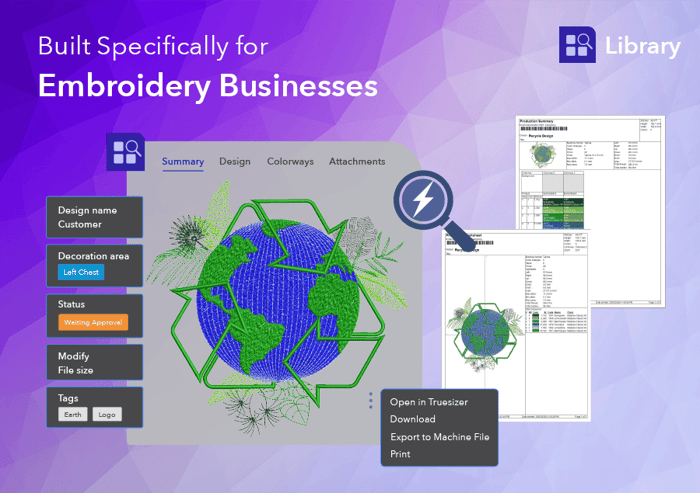
Library is Wilcom’s cloud-based embroidery design management solution. It centralizes all designs in one secure place, making it easier for individuals and embroidery teams to organize, search, collaborate, and manage workflows efficiently.
What is embroidery design management?
Embroidery design management is the process of organizing, storing, accessing, and controlling embroidery files across a business. It ensures designs are easy to find, up to date, and ready for production when needed.
What’s the difference between Design Explorer and WilcomWorkspace Library?
Design Explorer (previously called Design Library in EmbroideryStudio) is designed to browse and search embroidery designs stored on your local computer or network folders. It provides a fast and familiar way to locate designs that are already available on your local storage.
WilcomWorkspace Library is a cloud-based embroidery design management system focused on organizing, searching, and managing your designs from anywhere. It goes beyond simple file browsing by providing powerful search capabilities, AI-assisted discovery, metadata tagging, and centralized design management.
With WilcomWorkspace Library, your designs are securely stored in the cloud and can be accessed from any device by anyone you authorize. It enables teams to collaborate more effectively, while advanced search tools help you quickly find designs by customer, product, tag, production information, and more.
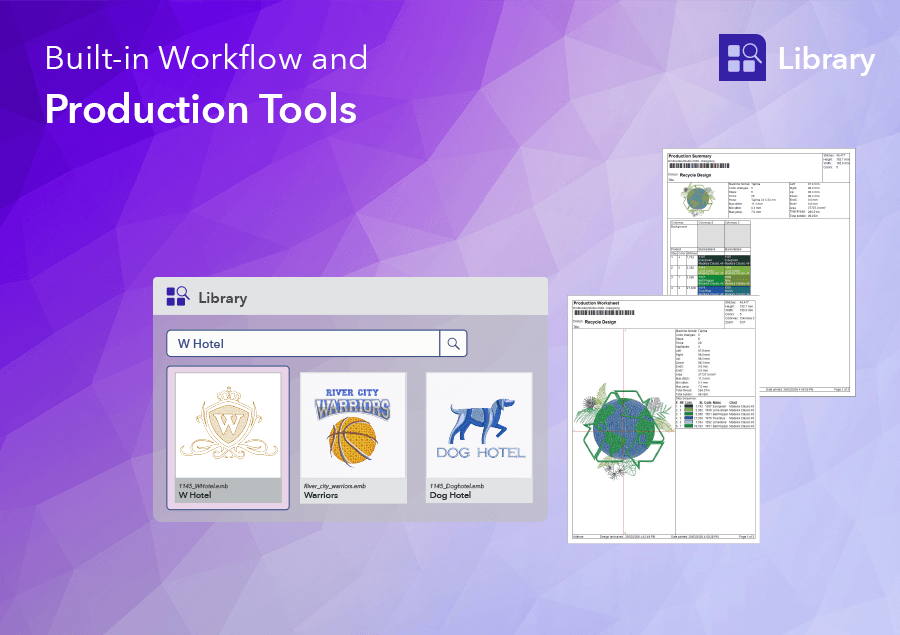
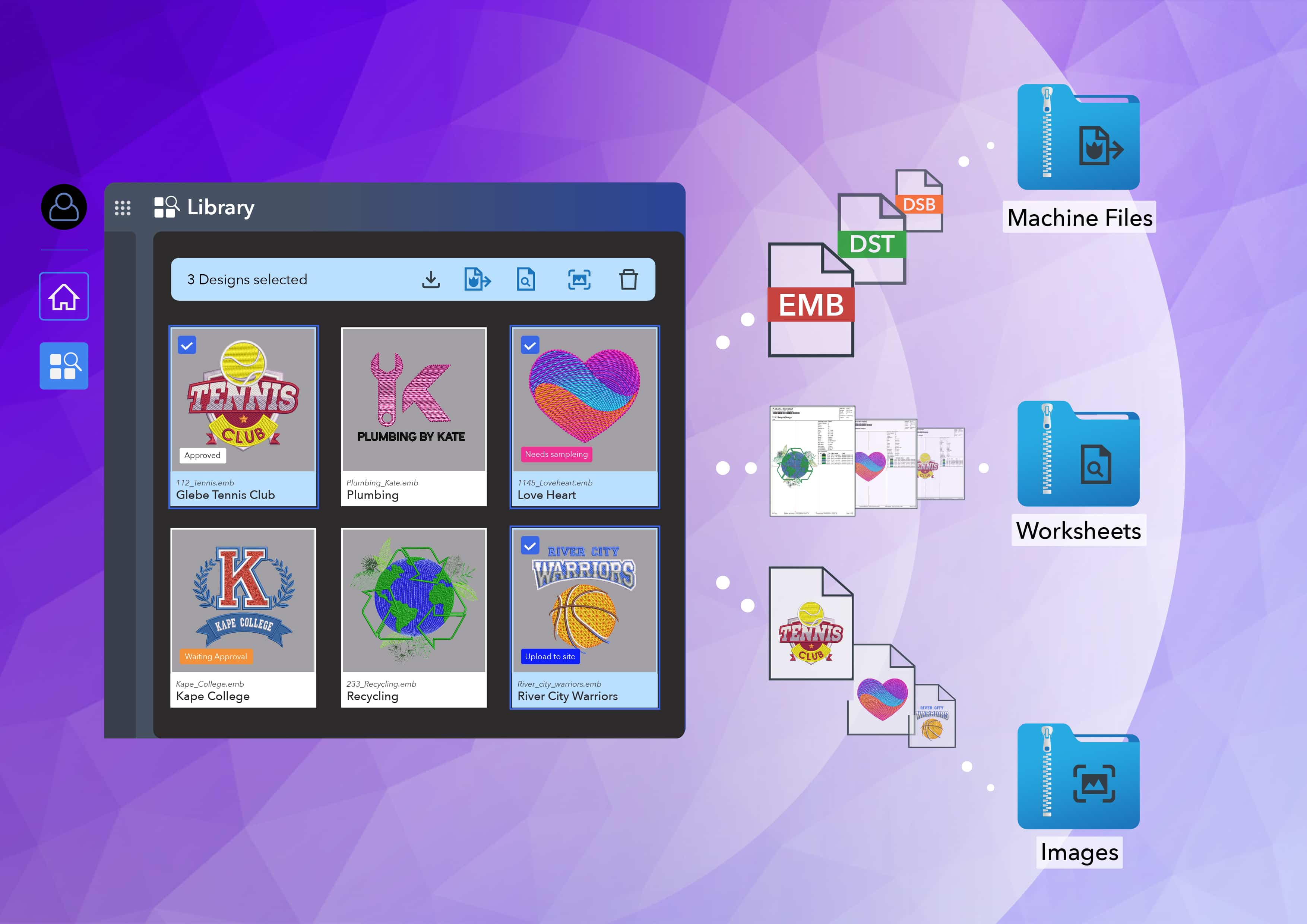
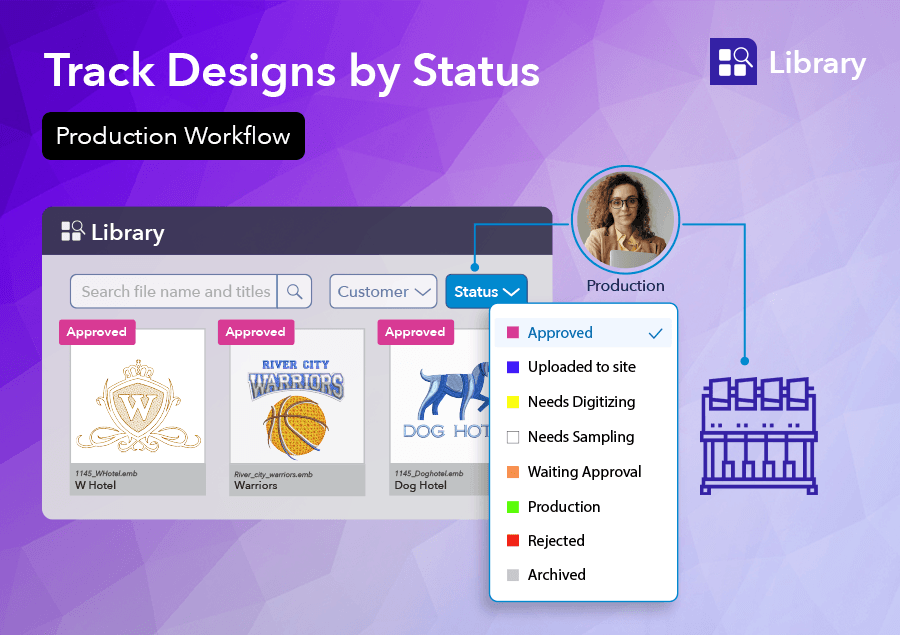
In addition to design management, Library supports your production workflow by allowing you to track design status, organize jobs, export machine files, and generate production worksheets, all from a single, centralized workspace.
I have many embroidery designs. Can I upload them into WilcomWorkspace Library quickly?
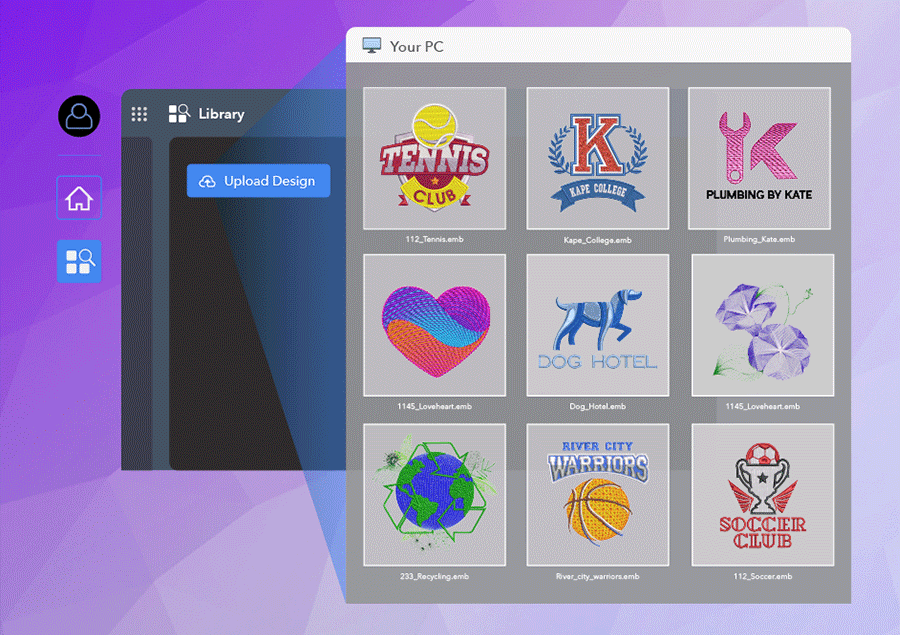
Yes. With Batch Upload, you can upload, organize, and securely store your embroidery designs in the cloud in just a few clicks.
You have two options:
1. File Upload
Select one or multiple embroidery designs (using the Ctrl key) and upload them together. The upload screen is optimized to help you enter shared or individual design information quickly.
2. Folder Upload
Upload an entire folder at once eg a customer folder, easily add the shared customer name and other design information.
Both options allow you to choose to add the remaining design details during the upload or complete it later making it fast and easy to get your existing embroidery design library securely stored and ready to manage in WilcomWorkspace Library.
Can I continue working while Library uploads the embroidery designs?
Yes. Uploading occurs in the background with live updates in the bottom left-hand corner of the screen.
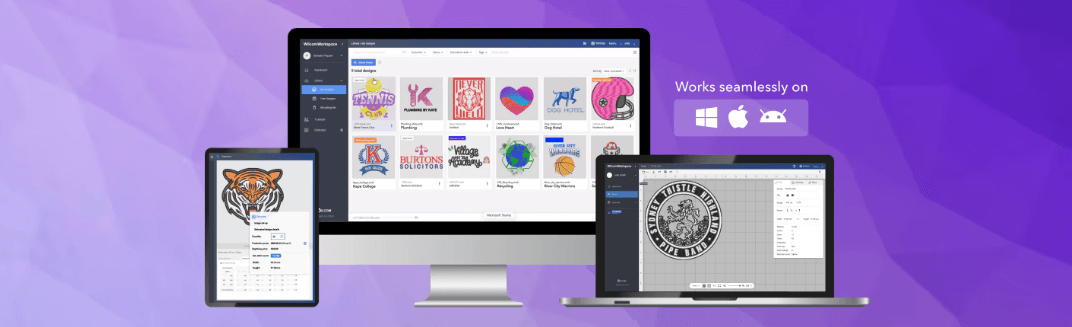
Can Library be used on Mac?
Yes. Library is fully accessible on Mac, PC, and tablets through a web browser, removing the need for Windows-only systems and making it ideal for mixed-device teams.
Is Library suitable for embroidery teams and individuals?
Yes. Library supports both multi-user embroidery teams and individual users, offering flexible access, organization, and secure storage for all embroidery workflows.
It provides a single source of truth, ensuring everyone works from the same up-to-date design. With secure, centralised storage, it also reduces the need for separate manual backup systems.
Can I access embroidery designs remotely?
Yes. Because Library is cloud-based, you can access your embroidery designs from anywhere — whether you're in the office, at home, or on the production floor.
How does Library organize embroidery designs?
Library uses design information and tagging, including customer names, design status, decoration areas, and custom tags. This makes sorting, filtering, and retrieving designs quick and intuitive.
Does Library support collaboration between team members?
Yes. Multiple users can access and work with designs while maintaining visibility across the organization. File locking ensures that only one person edits a design at a time, preventing conflicts.
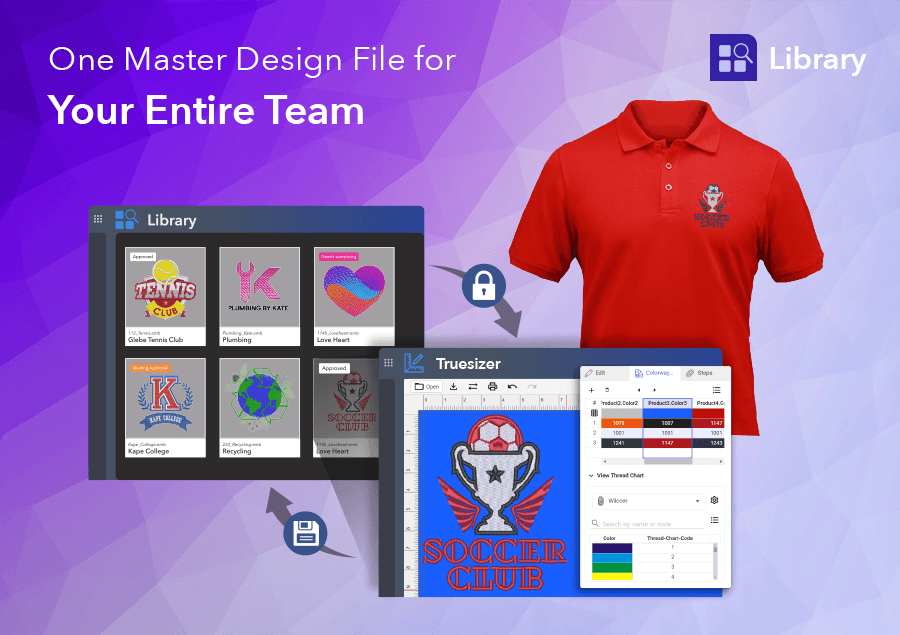
Can multiple users edit the same design at the same time?
No. When working in a team, a design is automatically locked when opened, so only one user can edit it at a time.
Library also shows who has the design open using their avatar, giving teams clear visibility and preventing conflicts or accidental overwrites.
What file formats does Library support for embroidery?
Library supports .EMB files and a wide range of embroidery file formats. However, export to embroidery machine formats is supported for EmbroideryStudio e4.5 and above only.
Users can export designs to 24 different embroidery machine formats for production, download original files, and generate production-ready outputs directly from Library.
You can upload the following embroidery files:
Digitized File Formats:
.EMB, .ART, .ART42, .ART50, .ART60, .ART70, .ART80, .ART90, .JAN
Production Stitch Formats:
.DST, .U01, .DSB, .EXP, .DSZ, .Z01, .100, .KSM, .TAP, .INB, .XXX, .SEW, .JEF, .HUS, .PES, .PEC, .PCS, .PCD, .PCQ, .CSD, .EMX, .ARX, .BRO, .PUM, .PMU, .STX, .TBF, .U03
Is my embroidery data secure in Library?
Yes. Library provides secure online cloud storage with controlled access, ensuring your embroidery designs are safely stored and protected.
What happens if my Library subscription expires?
If your subscription expires, your data is retained for 90 days. After this period, all data is permanently deleted, so it’s important to maintain an active subscription.
- If the Base Licence expires, access to designs are limited to read-only
- Your data is retained for 90 days after expiry of your last Library subscription
- Renew within 90 days to restore full access to all your designs
- After 90 days without renewal, data is permanently deleted. We recommend exporting your designs before this point if you do not intend to renew
How much storage does Library include?
Library includes 10GB of cloud storage (approximately 100,000 designs), with storage usage tracking and alerts to help you stay in control. As your needs grow, simply add more storage or users at any time.
What happens if my subscription expires?
If the base license expires, it will lose access to Library. All additional active team licences will be limited to read-only access until they expire. Your data is retained for 90 days after you last Library subscription expires. If you renew within that window, your full library is restored. After 90 days without renewal, your data is permanently deleted. If you do not plan to renew, we recommend exporting your designs before the 90-day window closes.
Can I use Library if I don’t own EmbroideryStudio?
Yes. You don’t need EmbroideryStudio to use Library. Every Library user licence includes a Truesizer licence (valued at US$49/year), allowing you to open, view, recolor, and make basic edits to embroidery designs.
Library supports a wide range of embroidery file formats, including:
Digitized File Formats:
.EMB, .ART, .ART42, .ART50, .ART60, .ART70, .ART80, .ART90, .JAN
Production Stitch Formats:
.DST, .U01, .DSB, .EXP, .DSZ, .Z01, .100, .KSM, .TAP, .INB, .XXX, .SEW, .JEF, .HUS, .PES, .PEC, .PCS, .PCD, .PCQ, .CSD, .EMX, .ARX, .BRO, .PUM, .PMU, .STX, .TBF, .U03
Can I use Library if I’m not an embroidery digitizer?
Yes. Library is designed for anyone working with embroidery designs, not just digitizers. It’s an embroidery design management solution that lets you store, organize, search, and access designs with ease.
Every Library user licence also includes a Truesizer licence (valued at US$49/year), allowing you to open, view, recolor, and make basic edits to embroidery designs — no digitizing software required.
Library supports a wide range of embroidery file formats, including:
Digitized File Formats:
.EMB, .ART, .ART42, .ART50, .ART60, .ART70, .ART80, .ART90, .JAN
Production Stitch Formats:
.DST, .U01, .DSB, .EXP, .DSZ, .Z01, .100, .KSM, .TAP, .INB, .XXX, .SEW, .JEF, .HUS, .PES, .PEC, .PCS, .PCD, .PCQ, .CSD, .EMX, .ARX, .BRO, .PUM, .PMU, .STX, .TBF, .U03
Can I use Library if I own Hatch?
Yes. You can use Library if you own Hatch by Wilcom. It’s an embroidery design management solution that lets you store, organize, search, and access designs with ease.
You already have a Hatch account, you will need to create a Wilcom account is required.
Library supports a wide range of embroidery file formats, including:
Digitized File Formats:
.EMB, .ART, .ART42, .ART50, .ART60, .ART70, .ART80, .ART90, .JAN
Production Stitch Formats:
.DST, .U01, .DSB, .EXP, .DSZ, .Z01, .100, .KSM, .TAP, .INB, .XXX, .SEW, .JEF, .HUS, .PES, .PEC, .PCS, .PCD, .PCQ, .CSD, .EMX, .ARX, .BRO, .PUM, .PMU, .STX, .TBF, .U03
WilcomWorkspace Library is more than just storage — it’s a complete embroidery design management solution and the foundation of Wilcom’s online ecosystem.
For embroidery businesses looking to improve organization, collaboration, and efficiency, Library provides a structured, scalable, and intelligent way to manage designs.
For more information, please visit: https://wilcom.com/workspace/library
Ask about the world's
favorite embroidery software!
Got questions? We’re here to help.
Contact us