WilcomWorkspace Library for Smarter Embroidery Production
WilcomWorkspace Library
Built for Embroidery Production
Track, Search, Approve, Produce
In embroidery production, efficiency depends on having the right design, at the right time, with the right status. Yet for most embroidery businesses, that's harder than it sounds.
Approvals happen over email. Someone exports an outdated version to the machine. Production stalls while staff chase the correct file.
WilcomWorkspace Library is built to solve exactly this — not as a cloud storage bucket, but as a purpose-built platform for embroidery production workflows. From design creation to approval to final output, every step is visible, organized, and easy to manage.
TRACK | Stay in Control with Design Status
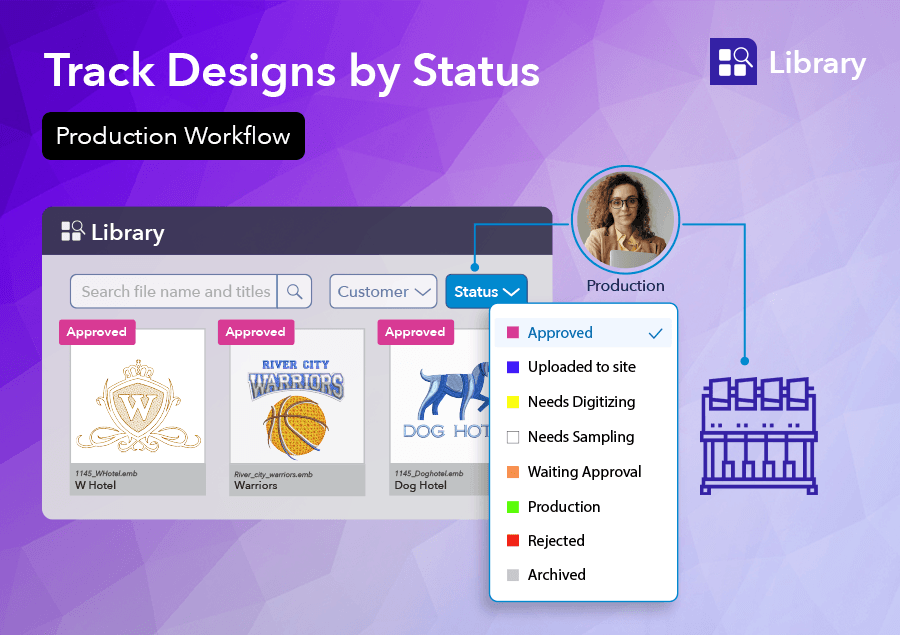
One of the most powerful ways to manage embroidery workflows in WilcomWorkspace Library is through design status. Each design can be assigned a status — such as In Progress, Approved, or Ready for Production — giving your team instant visibility into where every design stands.
No more guesswork. No more outdated files being pulled onto the production floor. Everyone works from the same, up-to-date information.
See it in Action
SEARCH | Embroidery Design Status
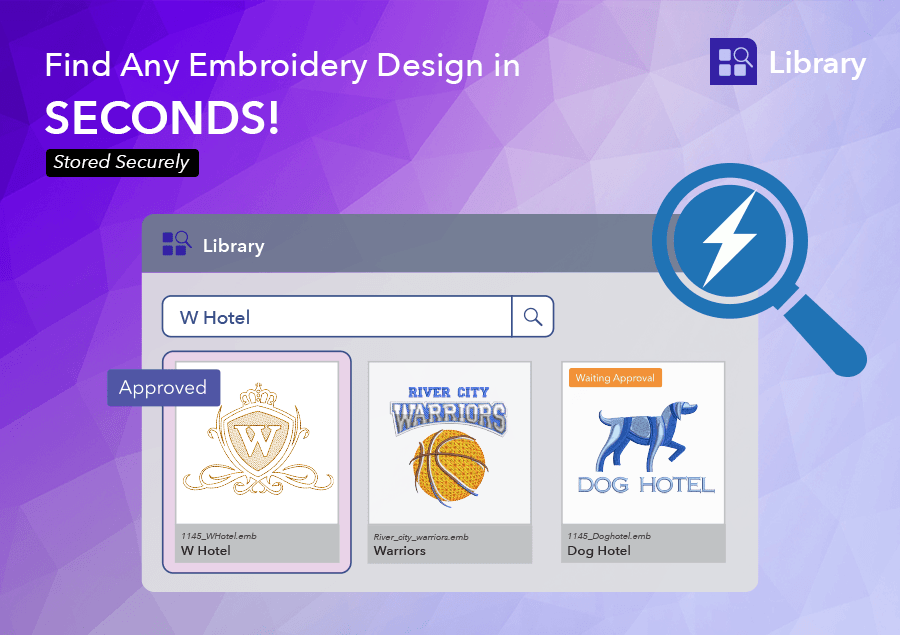
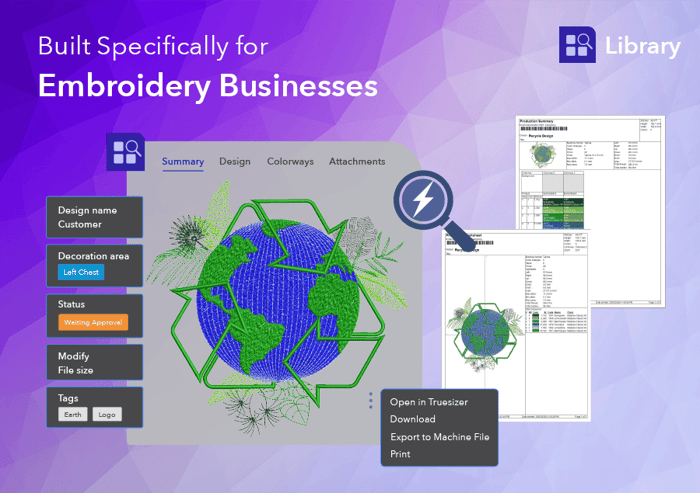
When production is moving fast, finding the right file quickly matters. With WilcomWorkspace Library, you can search and filter designs by status, customer, decoration area, tags, and more.
Need all approved designs for today's jobs? Filter by Approved*. Looking for designs still in review? Filter by In Progress. This makes it easy to prioritize work, reduce delays, and keep production running without interruption.
Beyond status, Library's AI-assisted tagging automatically suggests tags based on a design's visual content — keeping your library consistently organized without the manual effort. Combined with metadata filtering, finding any design in your catalog takes seconds, not minutes.
*Tip: Customizable status fields so it fits with your business workflow.
APPROVE | Designs with Confidence
Approval is a critical step in any embroidery workflow. With WilcomWorkspace Library, designs can be reviewed, updated, and formally approved within a centralized system. Once approved, the design status reflects that immediately — making it unmistakably clear that the file is ready for production.
This removes ambiguity, reduces miscommunication, and ensures only the right designs move forward. No more relying on email threads or verbal confirmations. Attach email documents or any supporting documents with the design. The system is the record.
Prevent Errors with Design Locking
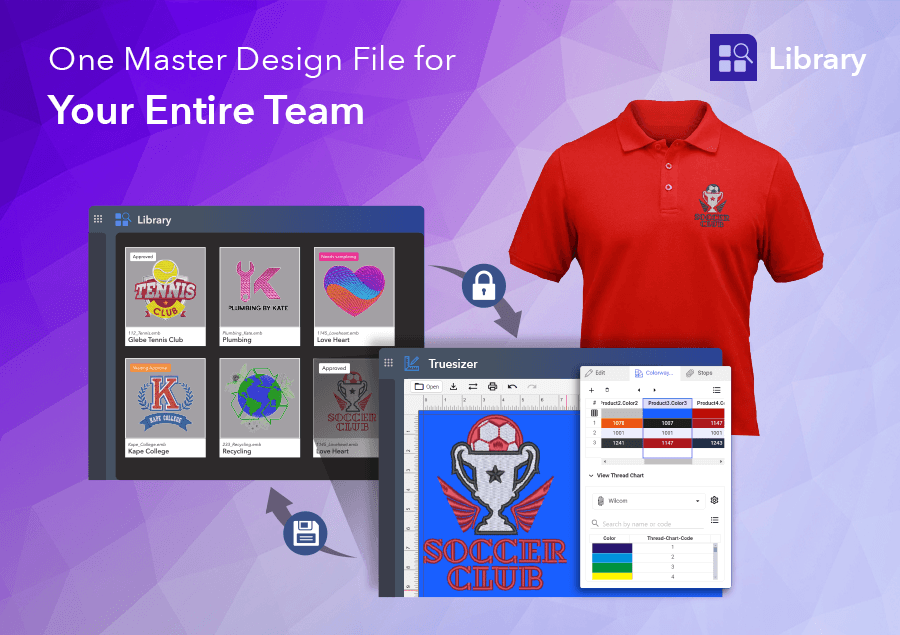
To protect your work and avoid costly mistakes, WilcomWorkspace Library automatically locks a design when it is opened for editing. No one else can overwrite changes while the file is in use. At the same time, the system displays exactly who has the design open — giving your team full visibility and accountability.
This simple but powerful feature eliminates version conflicts, prevents accidental overrides, and ensures everyone is working with confidence. And with 30-day recovery for deleted designs, accidental deletions don't become production crises.
PRODUCE | Access Designs Anywhere — Even on the Production Floor
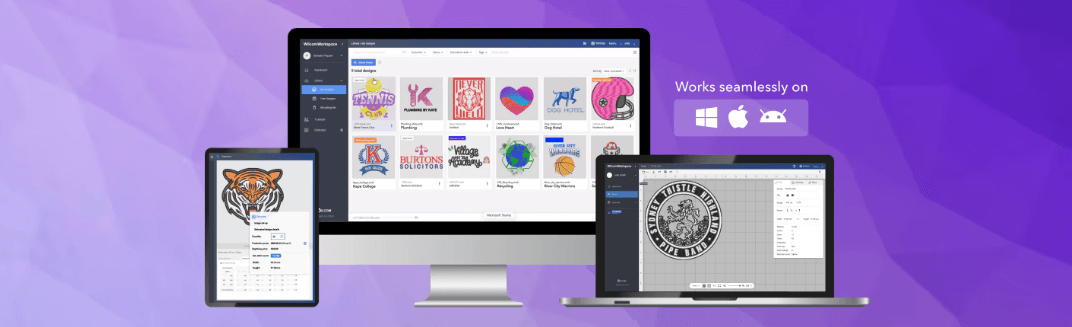
WilcomWorkspace Library is cloud-based, which means your designs are accessible by anyone, on any device — PC, Mac, or tablet — whether you're in the office, working remotely, or standing on the production floor.
Production staff can confidently access the correct, approved design without relying on manual handovers. Everything needed to move a design from approved to in-machine is right there — with confidence.
Export Machine Stitch Files
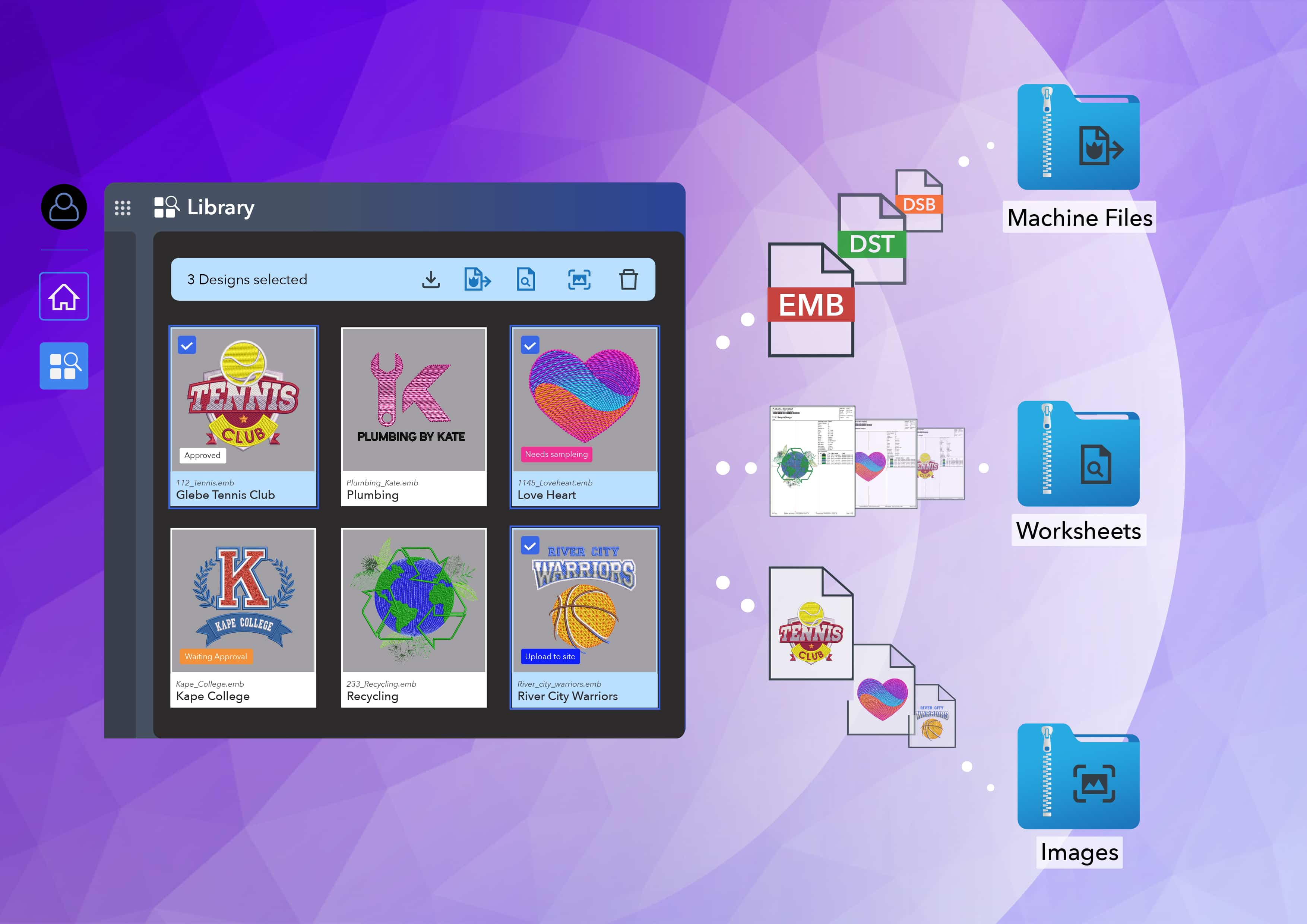
When a job hits the queue, your team can export directly to 24 machine stitch formats without leaving the platform.
Output Production Worksheets
Once the job is approved, your team can generate production worksheets with approved colorways without leaving the platform.
True-Scale Preview
Before a design is approved, you can preview designs at actual 1:1 scale in the browser. For embroidery production teams, this is a significant time-saver — you see exactly what you're producing before it goes to the machine, catching sizing or layout issues early and avoiding costly mistakes.
Truesizer — Included at No Extra Cost
Every Library licence includes access to Truesizer, Wilcom's online design viewer and editor (valued at US$49/year). Open a design directly from Library, make sizing or color adjustments, and save it back — all without leaving your workflow. For production coordinators or customer-facing staff who don't use EmbroideryStudio, or other digitizing software, this gives them the ability to work with embroidery files on any device.

A More Connected Production Workflow
By combining design status, powerful search, cloud access, file locking, and production-ready exports, WilcomWorkspace Library connects your entire embroidery production process into a single, coherent system.
From saving design creation to approval to final production, every step is visible, organized, and easy to manage. The result is a faster, more reliable workflow — fewer mistakes, better accountability, and complete control over your embroidery operations.
Library includes 10GB of secure cloud storage (enough for approximately 100,000 designs), with usage tracking and alerts as your business grows.
Embroidery Production, Under Control.
Full Visibility from the Office, the Floor, or Anywhere in Between.
Ready to put WilcomWorkspace Library to work in your production workflow?
Visit wilcom.com/workspace/library to explore features
Ask about the world's
favorite embroidery software!

Got questions? We’re here to help.
Contact us