









Feature overview
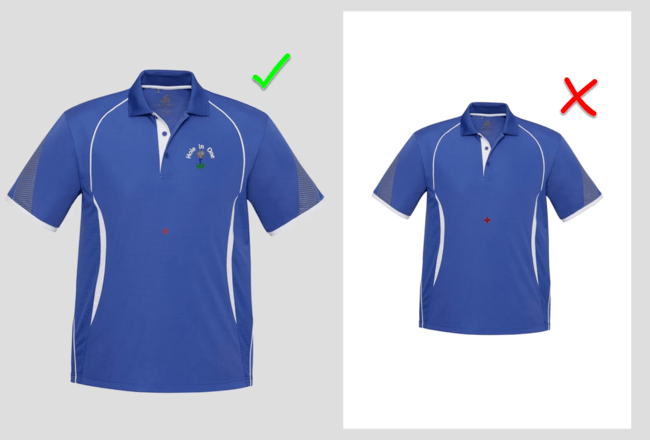
Create an image with a transparent background for the product visualizer
Blog | EmbroideryStudio | Feature overview | Tips & Tutorials
When displaying an image in the product visualizer an image with a transparent background in more professional than showing a white background. Corel PhotoPaint is included in the CorelDRAW suite of...

Shading, Open and Curved Fills
Blog | EmbroideryStudio | Feature overview | Video
Adding curved fills and shading to tatami objects to a design adds depth and vitality to a design. Both features are add on elements to the designing software. They work together or independently to add the...

Repair any Damaged Garment with the help of CorelDRAW
Blog | EmbroideryStudio | Feature overview | Video
If you have not already, then at some time in your embroidery career you will need to make a repair to a damaged garment. One way to do this is cover the old logo or damaged garment with a block of...

Creating automatic borders and outlines with Offsets Advanced Element
Blog | EmbroideryStudio | Feature overview | Tips & Tutorials | Video
Creating a border or outline is something you probably do every day as an embroidery digitizer. But did you know there is a quicker way to create borders and outlines with the Offsets Advanced Element...
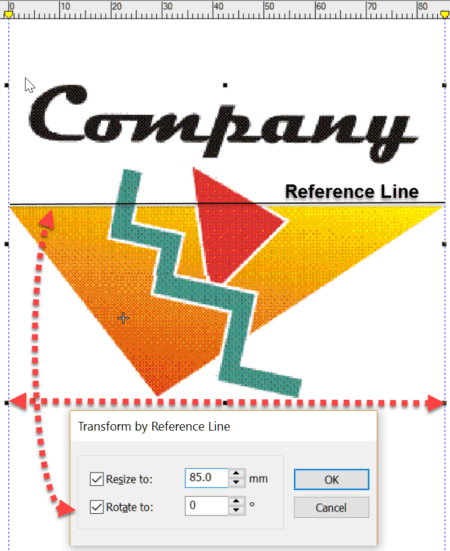
More Reasons to upgrade from DecoStudio to Decorating e4
Blog | Feature overview | Tips & Tutorials | Video
Importing an image to the work area is the first step in creating a design. DecoStudio relies on CorelDRAW to import and edit images, while this is adequate, the process is time consuming and...
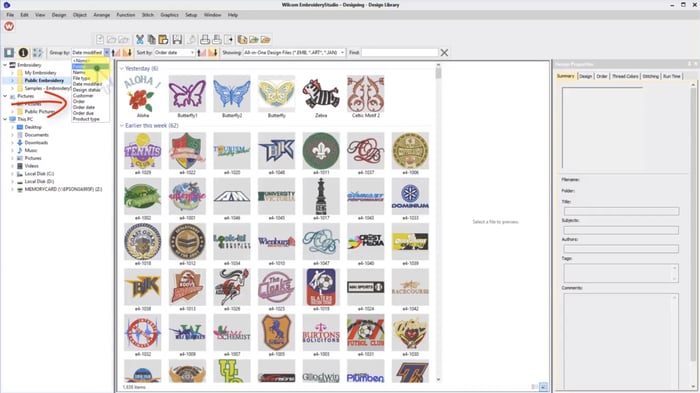
Never lose an embroidery design again with Wilcom’s EmbroideryStudio Design Library
Blog | EmbroideryStudio | Feature overview | Video
When I teach Wilcom I always start my students in Design Library. Why? Because Design Library is the heart of Wilcom’s EmbroideryStudio and gives you instant access to your embroidery designs. I...
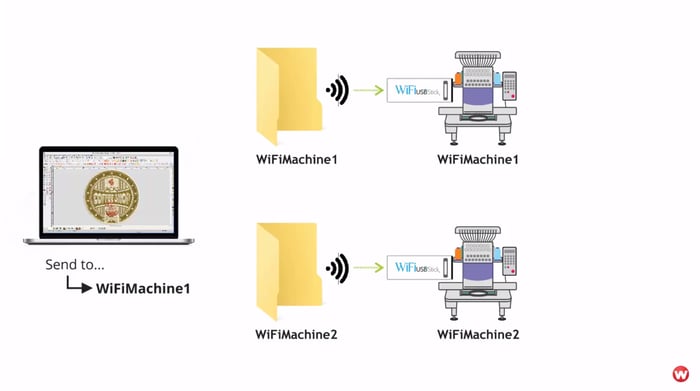
Wireless Design Transfer with Wilcom EmbroideryConnect will Revolutionize your Production
Blog | Feature overview | Wilcom EmbroideryConnect Device
A new improvement we released in ES e4 with Update e4.1 is EmbroideryConnect. This new add-on Element allows your Wilcom EmbroideryStudio to send designs to your embroidery machine using your WiFi...

Sample Post
Blog | Elements | EmbroideryStudio | Feature overview
Paragraph Bold Italy Underline Link Image description text <p>Test</p> 1:38:25 PM