



EmbroideryStudio
Background and Display Colors
Blog | EmbroideryStudio | Tips & Tutorials
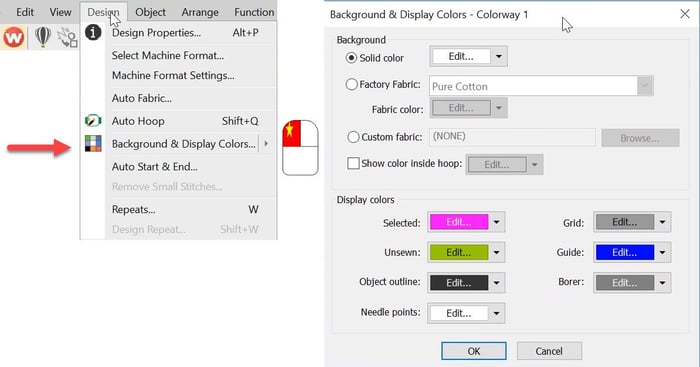
The Background and Display dialog can be accessed from the Design menu. Or the colored cubes and the left end of the color palette. The top half of the dialog box deals with the background on your...
Travel Toolbar
Blog | EmbroideryStudio
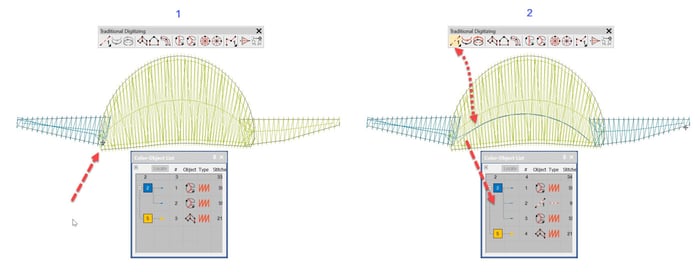
Traveling through a design is useful to understand the order of objects in a design but more importantly to identify where thread trims are and if necessary “nest” an object in the...
Planning a Design(wine bottle project)
Blog | EmbroideryStudio | Tips & Tutorials
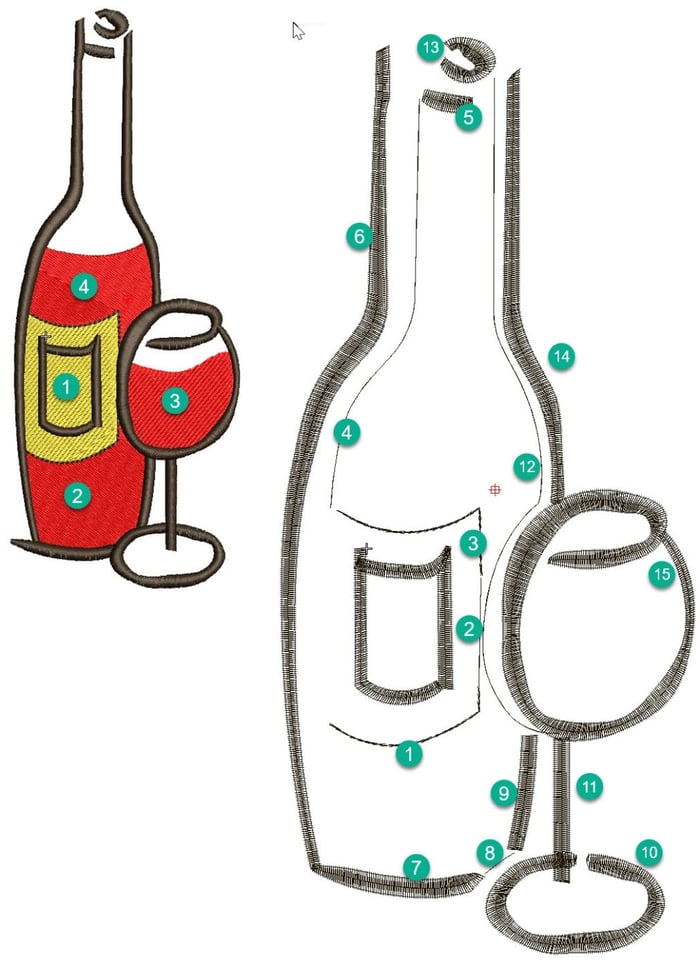
In this article and video I would like to discuss some ideas about sequencing objects in a design and choosing the tools and stitch types I think are most suited to create the vector shapes. When...
Reversing the Direction and Orientation of a Motif on a Line
Blog | EmbroideryStudio | Feature overview | Video
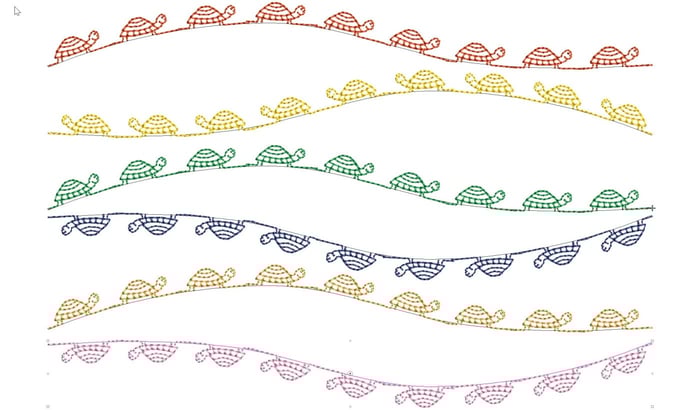
Reversing the direction and or orientation of an open ended motif run can be changed with the Transform Tools.The Transform tools can also be found in the Edit Menu.Or if you are a Shortcut person CTRL 1 for...
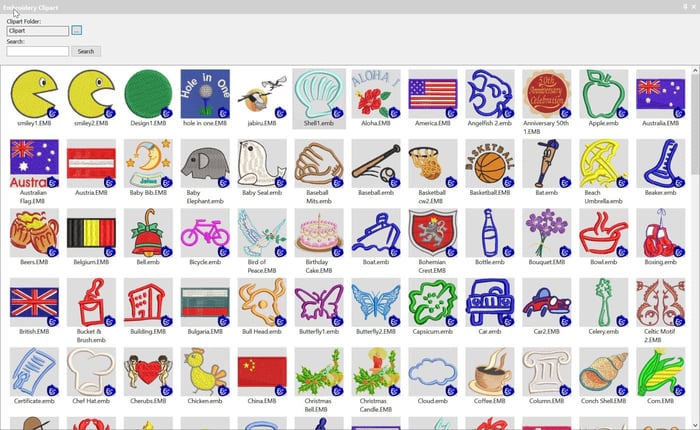
Add Embroidery Designs to Wilcom Clipart
Blog | EmbroideryStudio | Tips & Tutorials | Video
Clipart is a convenient way to store and add embroidery files to your designs.Clipart is usually used for generic type files that can be re used in more than one design.But you can add any file or part of a...

Digitizing for bling with Wilcom’s EmbroideryStudio
Blog | EmbroideryStudio | Feature overview | Tips & Tutorials
Bling refers to decorative objects placed on garments or templates, either on their own or in combination with other design elements. Bling is supplied in varying sizes, shapes, colors and materials....
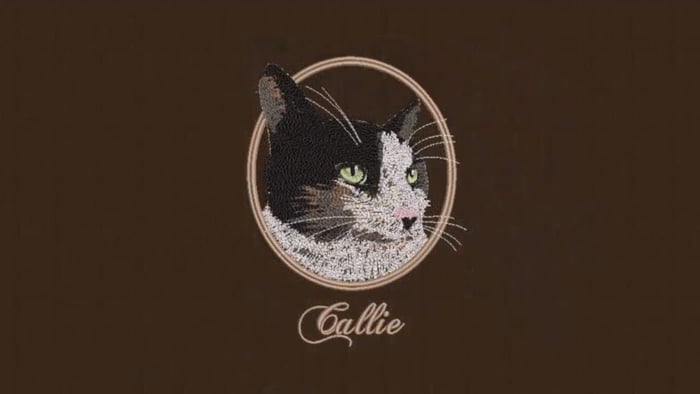
Creating freehand embroidery with Wilcom’s EmbroideryStudio
Blog | EmbroideryStudio | Tips & Tutorials | Video
The Freehand feature provides functionality similar to CorelDRAW® Graphics Suite Freehand and Polyline tools. Freehand has many benefits. It lets you create designs with a hand-drawn appearance,...
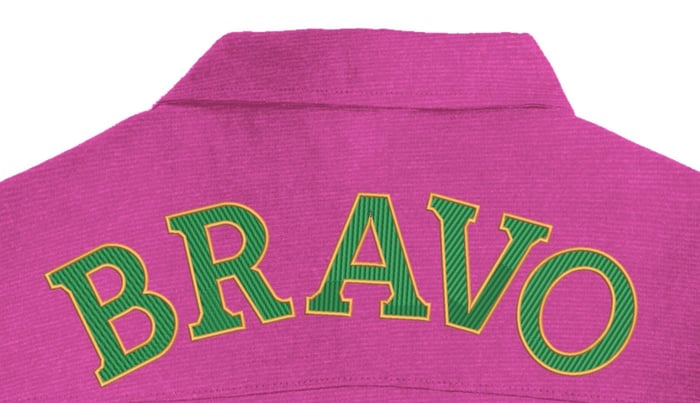
Create Large Lettering for Garment Backs
Blog | EmbroideryStudio | Tips & Tutorials
All lettering has maximum and minimum recommended sizes, to find these recommendations go to the HELP MENU and ONLINE MANUAL. In the Navigation Bar Look for Appendices and Embroidery Fonts....
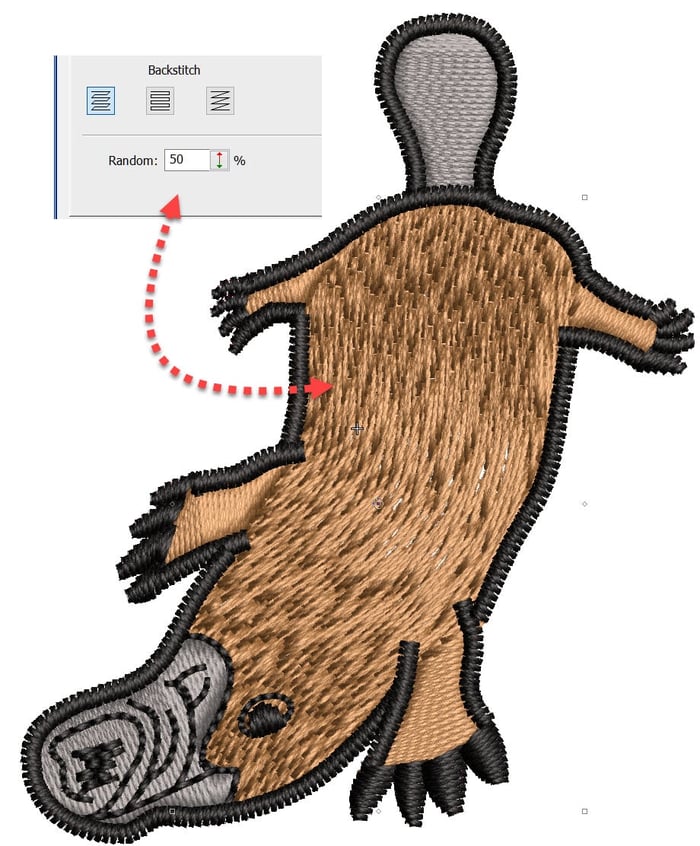
Tatami Stitch – What is it and some basic features
Blog | EmbroideryStudio
Tatami stitch is generally used for larger areas of fill in an embroidery design, which often will be the background for lettering or other objects in the design.Normally this would require an even stitch...
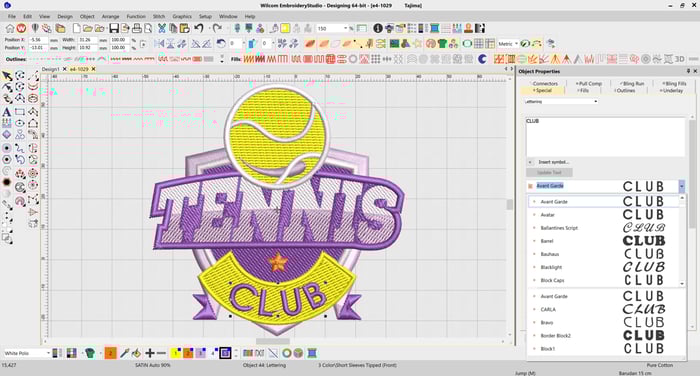
Lettering improvements in EmbroideryStudio e4.2
Blog | EmbroideryStudio | Feature overview | Lettering
In our most recent major release, EmbroideryStudio e4.2, we introduced a number of improvements to the way you select and use fonts. The font previews in e4.2 are now solid, meaning you can quickly...
EmbroideryStudio e4.2 Update 1 is Released!
Blog | EmbroideryStudio | Release announcement
Update 1 for ES e4.2 will automatically download once you launch ES e4.2 if you have automatic download enabled. If not, visit the Wilcom Help site to download ES Update 1 for e4.2. Visit now....
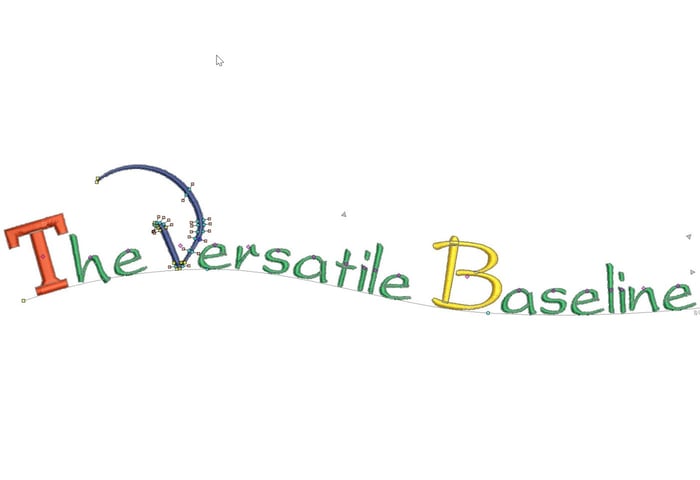
The Versatile Baseline
Blog | EmbroideryStudio | Lettering
The Baseline is a property of a lettering object and may be changed at any time, even after the object has been created. The Baseline is one of the great benefits of the Embroidery Studio lettering...